JDBC Drivers
A JDBC catalog, a USING jdbc table and spark.read.format("jdbc") all need the database's JDBC driver on the Spark classpath. The IOMETE Spark images include drivers for a few common databases. For any other database, you upload the driver jar yourself and add it everywhere that connects to the database: the compute clusters that run your queries, and the shared schema server that runs Test connection and the Database Browser.
Bundled Drivers
These drivers are bundled in the Spark images, so you can use them without adding anything. The shared schema server runs its own image, which can differ from your compute clusters' image (see Adding the Jar to the Shared Schema Server).
| Database | Driver artifact | Included in |
|---|---|---|
| PostgreSQL | org.postgresql:postgresql | 3.5.7 and later |
| MySQL | com.mysql:mysql-connector-j | 3.5.7 and later |
| Microsoft SQL Server | com.microsoft.sqlserver:mssql-jdbc | 3.5.7 and later |
| Microsoft SQL Server Spark connector | com.microsoft.azure:spark-mssql-connector_2.12 | 3.5 images only |
| Oracle | ojdbc11 | 3.5.7 and later |
| Snowflake | net.snowflake:snowflake-jdbc | 3.5.7 and later |
| Amazon Redshift | com.amazon.redshift:redshift-jdbc42 | 3.5.7 and later |
| ClickHouse | com.clickhouse:clickhouse-jdbc | Removed in 4.2.1-v2 and 3.5.9-v2 |
On 3.5 images, you can read SQL Server through its Spark connector with USING com.microsoft.sqlserver.jdbc.spark. Spark 4 images don't include the connector, so use USING jdbc there.
The ClickHouse driver 0.6.4 was removed from these images because of compatibility issues with newer ClickHouse servers. Other images, including later 4.2.0, 4.1 and 3.5.7 releases, still bundle it. See ClickHouse to add a newer driver.
A bundled driver loads before any jar you add with spark.jars, so adding your own copy of a bundled driver with the same class name has no effect. You can't switch a bundled driver to another version this way.
Driver Class and URL
| Database | Driver class | JDBC URL |
|---|---|---|
| PostgreSQL | org.postgresql.Driver | jdbc:postgresql://<host>:5432/<database> |
| MySQL | com.mysql.cj.jdbc.Driver | jdbc:mysql://<host>:3306/<database> |
| Microsoft SQL Server | com.microsoft.sqlserver.jdbc.SQLServerDriver | jdbc:sqlserver://<host>:1433;databaseName=<database> |
| Oracle | oracle.jdbc.OracleDriver | jdbc:oracle:thin:@//<host>:1521/<service-name> |
| Amazon Redshift | com.amazon.redshift.Driver | jdbc:redshift://<endpoint>:5439/<database> |
| Snowflake | net.snowflake.client.jdbc.SnowflakeDriver | jdbc:snowflake://<account-identifier>.snowflakecomputing.com/?db=<database>&warehouse=<warehouse> |
| ClickHouse | com.clickhouse.jdbc.ClickHouseDriver | jdbc:clickhouse://<host>:8123/<database> |
Use these values in a JDBC catalog or in a table that reads from the database, for example:
CREATE TABLE orders_pg
USING jdbc
OPTIONS (
  url "jdbc:postgresql://<host>:5432/<database>",
  driver "org.postgresql.Driver",
  dbtable "<schema>.<table>",
  user "<user>",
  password "<password>"
);
Replace the placeholders with your database's values. For other options, such as query and fetchsize, see JDBC Sources.
Adding a Driver That Isn't Bundled
You make the driver available in two places, and both are needed for a working catalog:
- Each compute cluster that queries the database, through its Spark config in the console.
- The shared schema server, through the data plane Helm values. Test connection and the Database Browser run there, not on your compute clusters.
Before you start, you need:
- The driver jar. If the vendor publishes a self-contained jar, use it:
spark.jarsadds only the file you name, not the jars it depends on. - A bucket Spark can read, such as your lakehouse bucket.
- Access to the data plane Helm values and permission to run
helm upgrade, usually held by a platform administrator.
Uploading the Jar
Upload the jar to the bucket, for example to s3a://<lakehouse-bucket>/jars/<driver>.jar. Spark accepts both s3a:// and s3:// paths.
Use a path only administrators can write to. A jar on spark.jars runs in every Spark application that loads it, including the shared schema server.
Adding the Jar to a Compute Cluster
If the compute cluster already loads jars through Jar file locations, or through spark.jars in Global Spark Settings, add the driver to that list instead. A second list replaces the first rather than adding to it.
Repeat these steps on every compute cluster that queries the database:
-
Open the compute cluster and click Configure.
-
On the Configurations tab, add a Spark config entry with the key
spark.jarsand the jar path as its value. Ifspark.jarsis already set, append the new path with a comma:s3a://<lakehouse-bucket>/jars/existing.jar,s3a://<lakehouse-bucket>/jars/<driver>.jar -
Click Save, then restart the compute cluster. Spark loads jars only at startup, so a running cluster doesn't see the driver until it restarts.
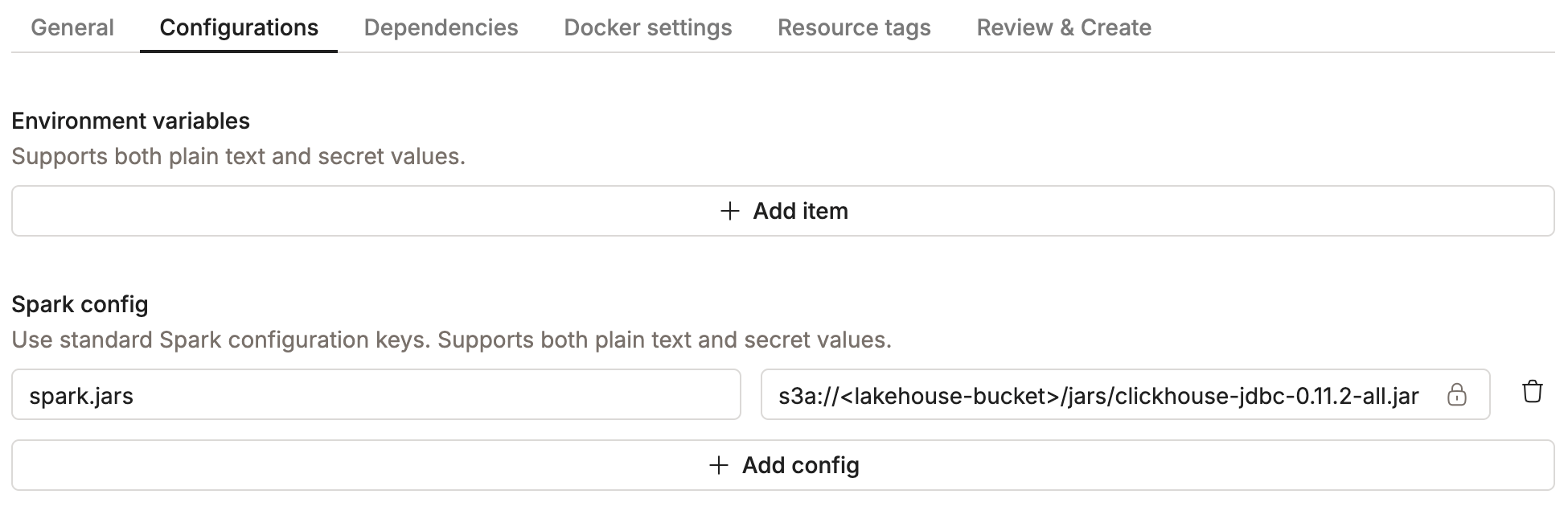
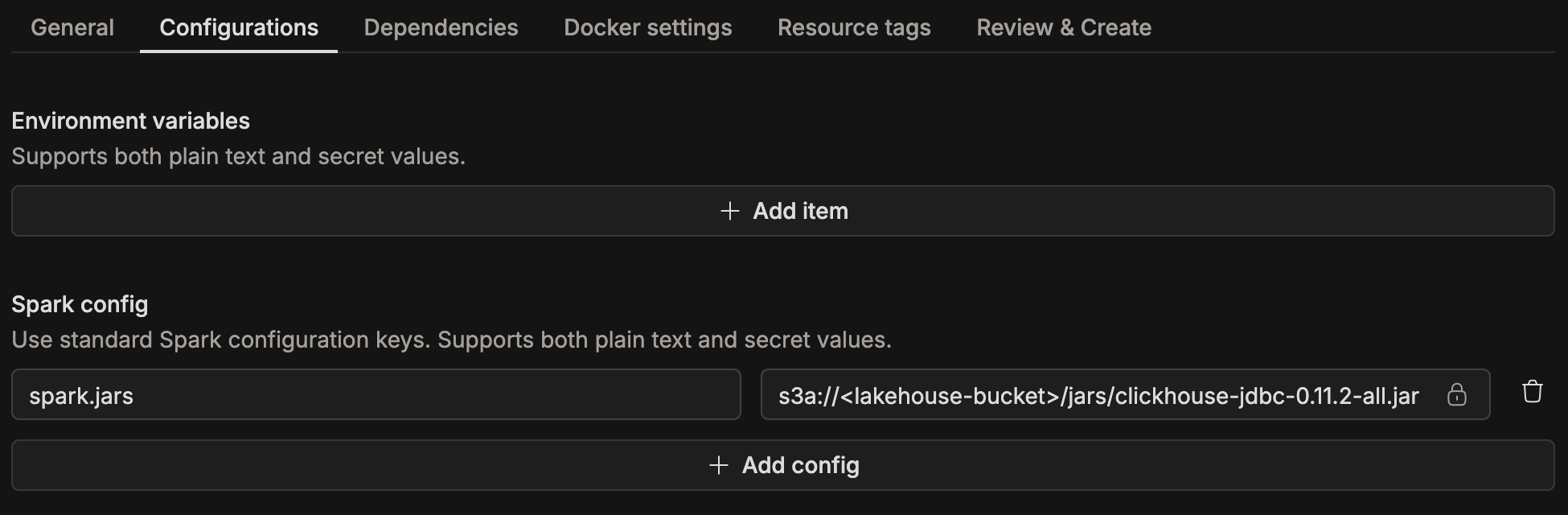
A Spark job that reads from the database needs the jar too. If the job lists JAR files, add the driver there. Otherwise, add it as spark.jars in the job's Spark config.
Adding the Jar to the Shared Schema Server
The shared schema server is a Spark application that the data plane Helm chart deploys. It takes Spark settings only from the data plane Helm values. Global Spark Settings in the console don't reach it, even after a restart.
-
Add the jar path to your data plane values file:
values.yamlservices:sparkConnect:sparkConf:spark.jars: s3a://<lakehouse-bucket>/jars/<driver>.jarHelm merges this key into the chart's default
sparkConf, so you list only the keys you add. If your values file already setsspark.jarshere, append the new path with a comma. -
Check the schema server image. It's set in
docker.defaultSparkPyVersion, ordocker.defaultSparkVersionwhen that is empty, and doesn't follow your compute clusters. If that image bundles the driver you're adding, such as ClickHouse 0.6.4, the bundled copy loads instead of your jar. In that case, set an image that doesn't bundle it in the same values file:values.yamldocker:defaultSparkPyVersion: 4.2.1-v2Use a Spark 4 image even if your compute clusters run Spark 3.5, because the schema server needs
4.1.3-v3or later. This value changes only the schema server image. -
Apply the change with the chart version you already run.
helm list -n iomete-systemshows it in the CHART column, for exampleiomete-data-plane-enterprise-4.0.3. Pass every values file and--setflag from your original install as well, because Helm resets any value you leave out:export IOMETE_VERSION="<chart-version>" # the version you installedhelm upgrade --install -n iomete-system data-plane iomete/iomete-data-plane-enterprise \--version "$IOMETE_VERSION" \-f values.yamlThe shared schema server restarts on its own after the upgrade and accepts requests again after about a minute. You don't need to restart it manually. During that minute, Test connection and the Database Browser are unavailable for every user.
Creating the Catalog
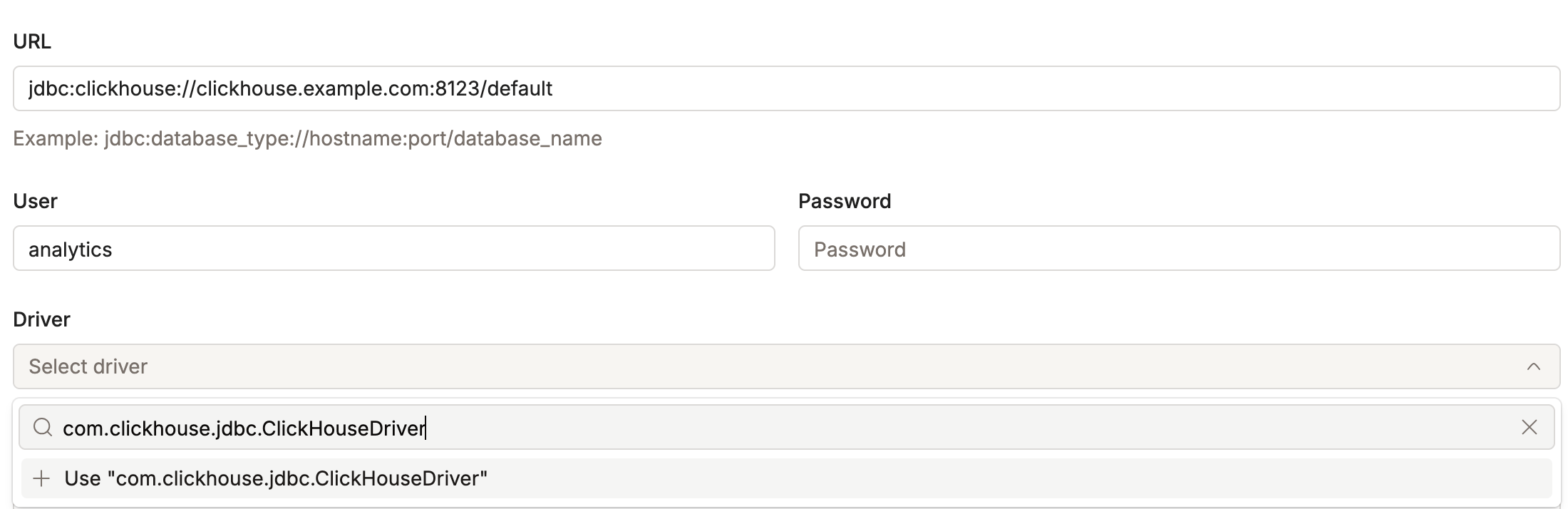
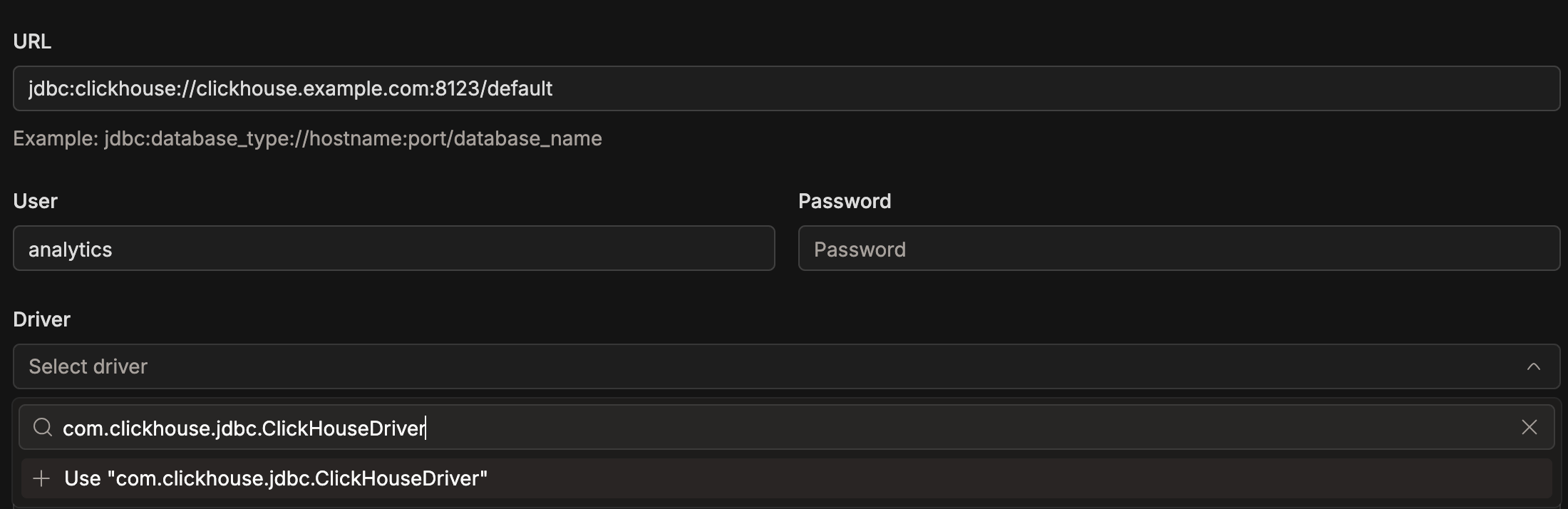
Create the catalog as described in JDBC Catalog Integration. If your driver isn't in the Driver list, type its class name and select Use "<class name>". Click Test connection before you create the catalog. A passing Show Tables check means the schema server loaded the driver and reached the database. The Create Table and Drop Table checks also need write access to the database.
ClickHouse
From 4.2.1-v2 on the 4.2.1 line and from 3.5.9-v2 on the 3.5.9 line, the Spark images include no ClickHouse driver. Add the driver as described in Adding a Driver That Isn't Bundled, with these values:
| Setting | Value |
|---|---|
| Driver jar | clickhouse-jdbc-<version>-all.jar, version 0.11.2 or later (tested with 0.11.2) |
| Driver class | com.clickhouse.jdbc.ClickHouseDriver |
| URL | jdbc:clickhouse://<host>:8123/<database> |
| URL with TLS | jdbc:clickhouse://<host>:<https-port>/<database>?ssl=true&ssl_mode=<mode>, with <mode> one of the ssl_mode values below |
Use one ClickHouse driver version for all your ClickHouse catalogs. The shared schema server loads one copy of the driver for every catalog on the data plane, and each compute cluster loads one copy for all its queries.
Download the jar from Maven Central, for example:
wget https://repo1.maven.org/maven2/com/clickhouse/clickhouse-jdbc/0.11.2/clickhouse-jdbc-0.11.2-all.jar
Spark 4.2.1-v2 and 3.5.9-v2 don't include the ClickHouse Spark connector either, so a catalog that uses com.clickhouse.spark.ClickHouseCatalog fails with Cannot find catalog plugin class. A JDBC catalog with the driver above lists and queries ClickHouse databases and tables.
If you need the connector, add the clickhouse-spark-runtime artifact built for the image's Spark and Scala version, for example clickhouse-spark-runtime-4.2_2.13 on 4.2.1 or clickhouse-spark-runtime-3.5_2.12 on 3.5.9. The connector includes its own copy of the ClickHouse client, so when you also add the JDBC driver, use the same release line for both, such as connector 0.11.0 with driver 0.11.2.
Connection Properties for Driver 0.11.2
Driver 0.11.2 rejects any connection property it doesn't recognize, so a catalog set up for the older 0.6.4 driver can fail every request with:
Failed to create connection
Caused by: com.clickhouse.client.api.ClientMisconfigurationException: Unknown and unmapped config properties: [databaseTerm]
Check the catalog's additional properties and the query parameters in its URL. Change the properties below and any other property named in the error:
| Property | With driver 0.11.2 |
|---|---|
databaseTerm | Remove it. The driver lists ClickHouse databases as schemas without it. |
sslmode | Replace it with ssl_mode, which takes DISABLED, TRUST, VERIFY_CA or STRICT. For sslmode=NONE, use ssl_mode=trust. |
dataTransferTimeout | Remove it. |
compress | Accepted. compress=0 is no longer needed, but you can leave it. |
If you can't change the properties right away, add ignore_unknown_config_key=true and the driver skips the properties it doesn't recognize. Add ssl_mode anyway: the driver skips sslmode too, and then verifies the server certificate instead of trusting it.
Upgrading an Existing ClickHouse Catalog
If you already have a ClickHouse catalog that uses the bundled driver 0.6.4, upgrade it in this order. The first step makes the catalog work with both drivers, so it keeps working while the shared schema server and your compute clusters move to the new driver at different times.
-
Before you upgrade, add these to the catalog's additional properties and keep the existing ones:
ignore_unknown_config_keywith valuetrue, so driver 0.11.2 skipsdatabaseTerm,dataTransferTimeoutandsslmode.ssl_modewith valuetrust, if the catalog usessslmode=NONE.
Driver 0.6.4 ignores both properties, so the catalog keeps working on your current images.
-
Add the driver jar to the shared schema server, including its image check, and to every compute cluster that queries ClickHouse.
-
Switch your compute clusters to 4.2.1-v2 or 3.5.9-v2 and restart them.
-
Verify with Test connection, the Database Browser or a query against the catalog.
-
Once the shared schema server and every compute cluster run the new driver, remove the old properties as described in Connection Properties for Driver 0.11.2, then remove
ignore_unknown_config_key.
A platform upgrade whose chart sets docker.defaultSparkVersion to 4.2.1-v2 or later moves the shared schema server to that image, even if you don't change your compute clusters. Do step 1 before that upgrade, and add the jar to the schema server in the same helm upgrade.
Driver 0.6.4
Every image other than 4.2.1-v2 or later on the 4.2.1 line and 3.5.9-v2 or later on the 3.5.9 line, including later 4.2.0, 4.1 and 3.5.7 releases, bundles driver 0.6.4, which loads before any newer jar you add. The same applies if you add 0.6.4 yourself through spark.jars. With this driver, set these catalog properties:
compress=0if your ClickHouse server runs version 25.10 or later (tested up to ClickHouse 26.6). Without it, reads fail.databaseTerm=schema, so the catalog lists ClickHouse databases as namespaces. Without it, the list is empty.
Troubleshooting
Cannot Find Catalog Plugin Class
Test connection, the Database Browser or a query fails with:
Cannot find catalog plugin class for catalog '<catalog>': org.apache.spark.sql.execution.datasources.v2.jdbc.JDBCTableCatalog.
This error names Spark's JDBC catalog class, but that class is always present. The usual cause is a missing driver jar, which the Spark driver log shows as Caused by: java.lang.ClassNotFoundException: <driver class>. For the shared schema server, that log is in the iom-spark-connect-driver pod in the data plane namespace. For a compute cluster, it's in the cc-<compute-name>-driver pod. Where the error appears tells you which side lacks the jar:
- Test connection or the Database Browser: add the jar to the shared schema server.
- A query on a compute cluster: add the jar to that compute cluster and restart it.
- Only when the catalog is the SQL editor's selected catalog, or a Thrift/JDBC client's default database, with the jar already on the compute cluster: on images other than 4.2.1-v2 or later and 3.5.9-v2 or later, keep
spark_catalogselected and use<catalog>.<database>.<table>names, or connect through Arrow Flight, which SQL Editor V2 uses.
spark.read.format("jdbc") reports the same cause directly as java.lang.ClassNotFoundException: <driver class>.