Iceberg REST Catalog
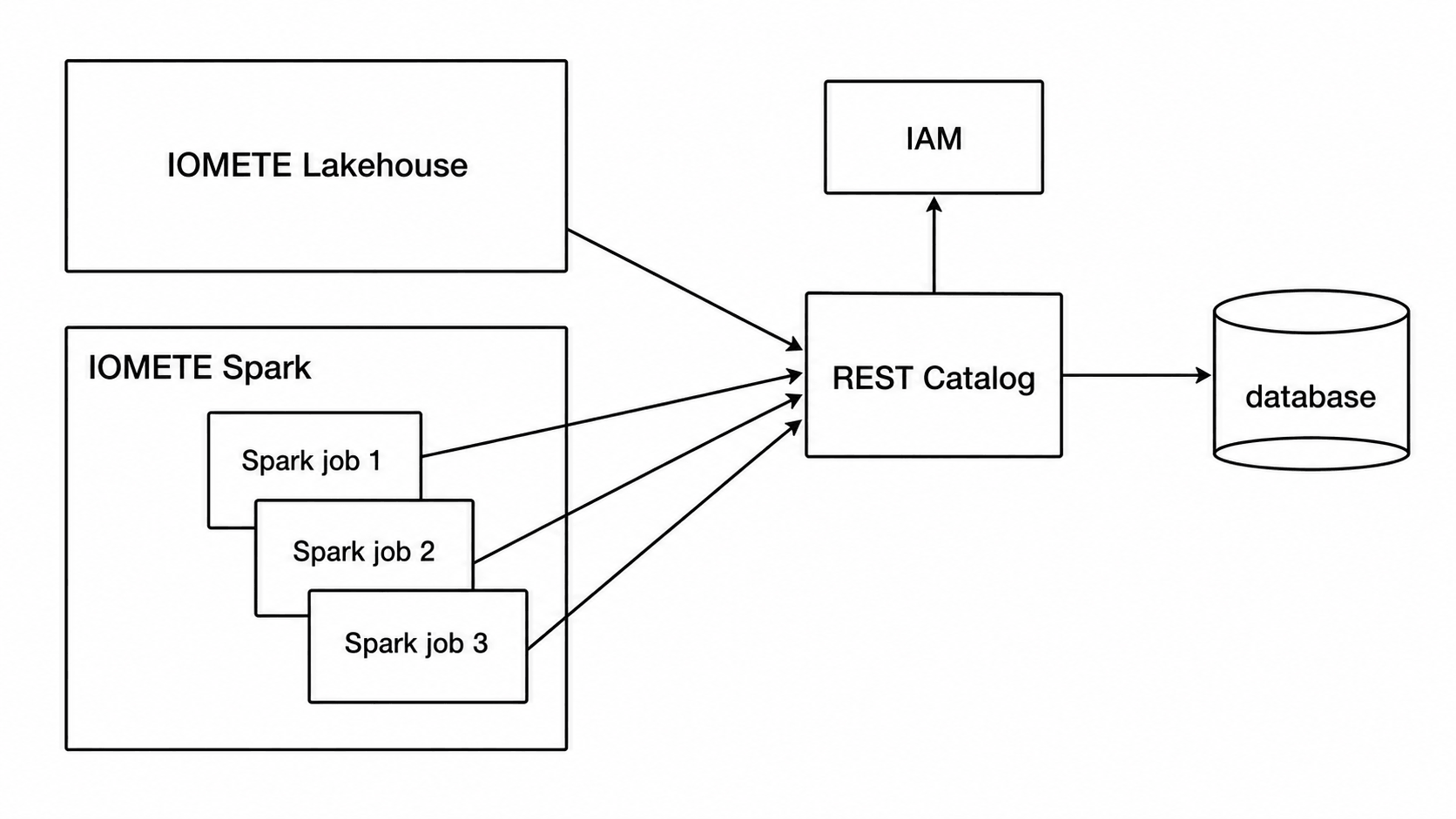
IOMETE allows you to create Iceberg REST Catalogs that are fully managed by the platform. These catalogs:
- Are accessible by IOMETE workloads (Lakehouses, Spark jobs, Jupyter notebooks) and by external compute engines via the Iceberg REST API
- Integrate with Data Security for role-based access control (RBAC)
- Require a valid session or Access Token for authentication
Creating a Catalog
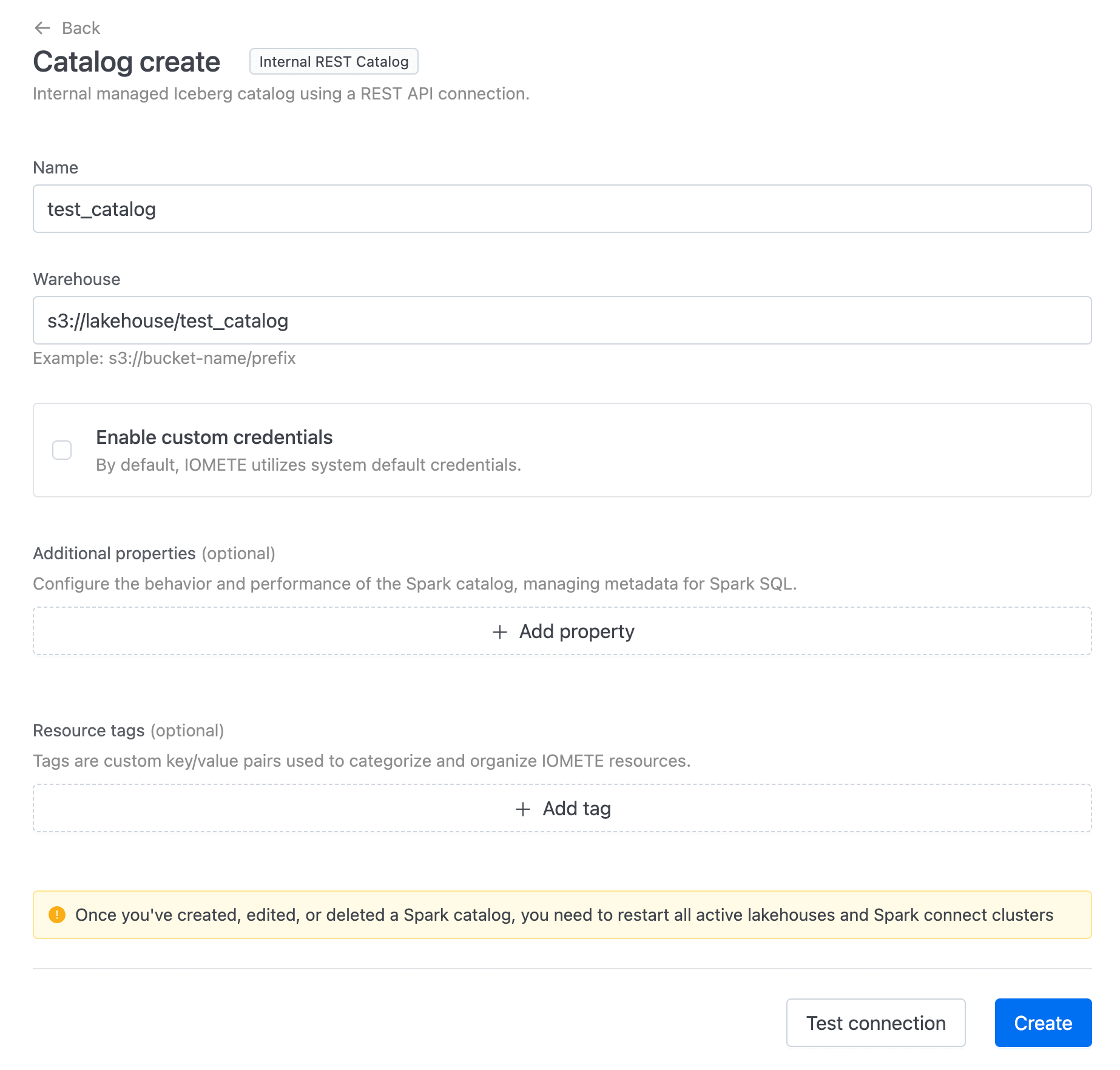
Select Iceberg REST Catalog from the Managed Catalogs section, and provide:
- Name: The name of the catalog
- Warehouse: The URL of an S3-compatible warehouse (IOMETE only supports object stores compatible with Amazon S3 APIs)
Custom S3 Credentials
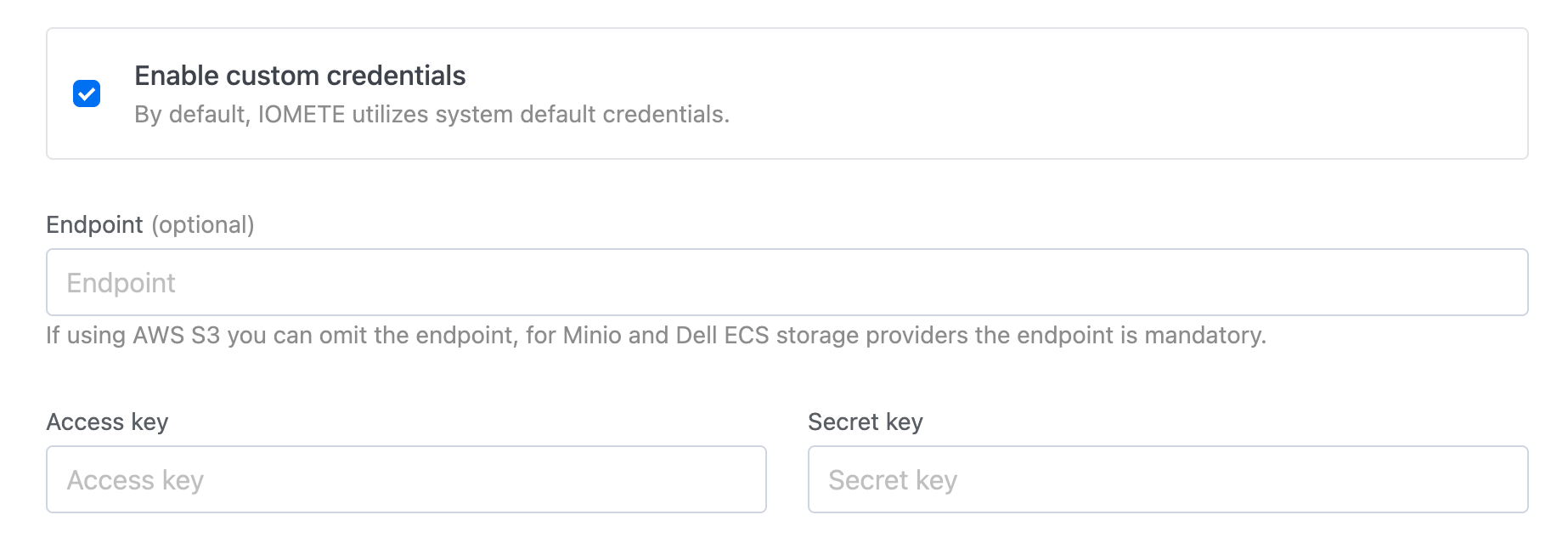
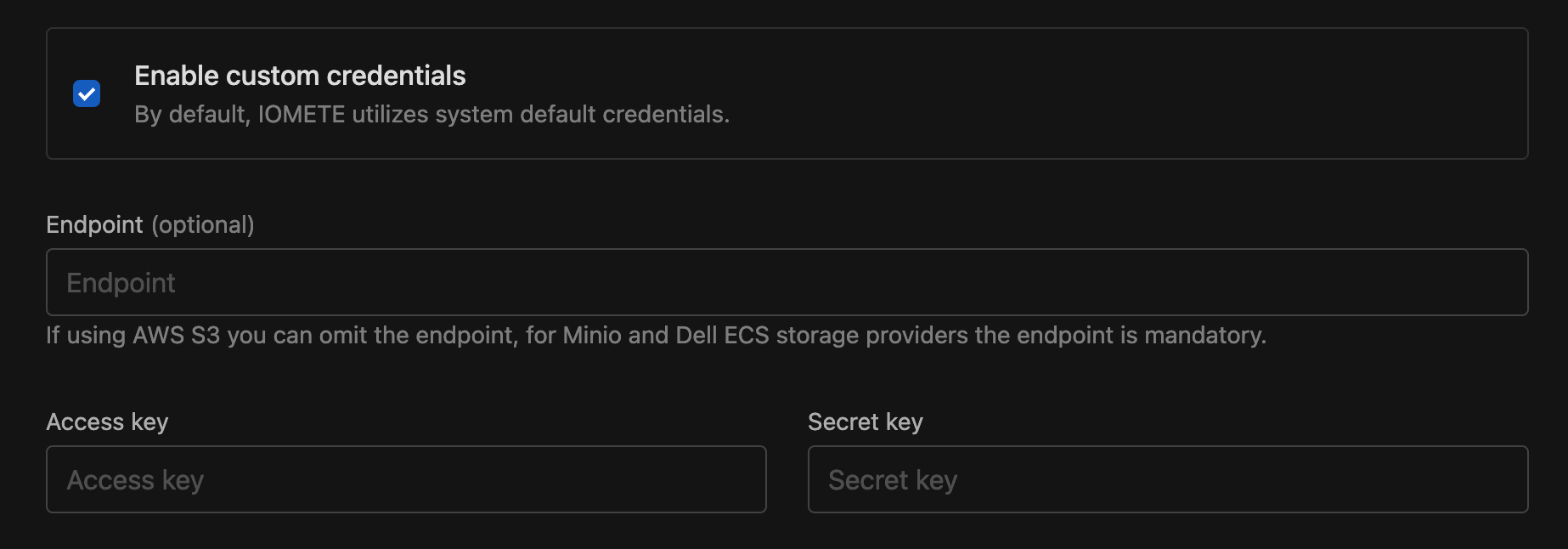
By default, IOMETE uses the S3-compatible storage and credentials configured by your administrator during installation. To use different credentials or a different storage provider for this catalog, enable the Custom Credentials checkbox:
- Endpoint — Required for S3-compatible storage such as Apache Ozone, Dell ECS or MinIO. Can be omitted for AWS S3.
- Access key
- Secret key
Additional Properties and Resource Tags
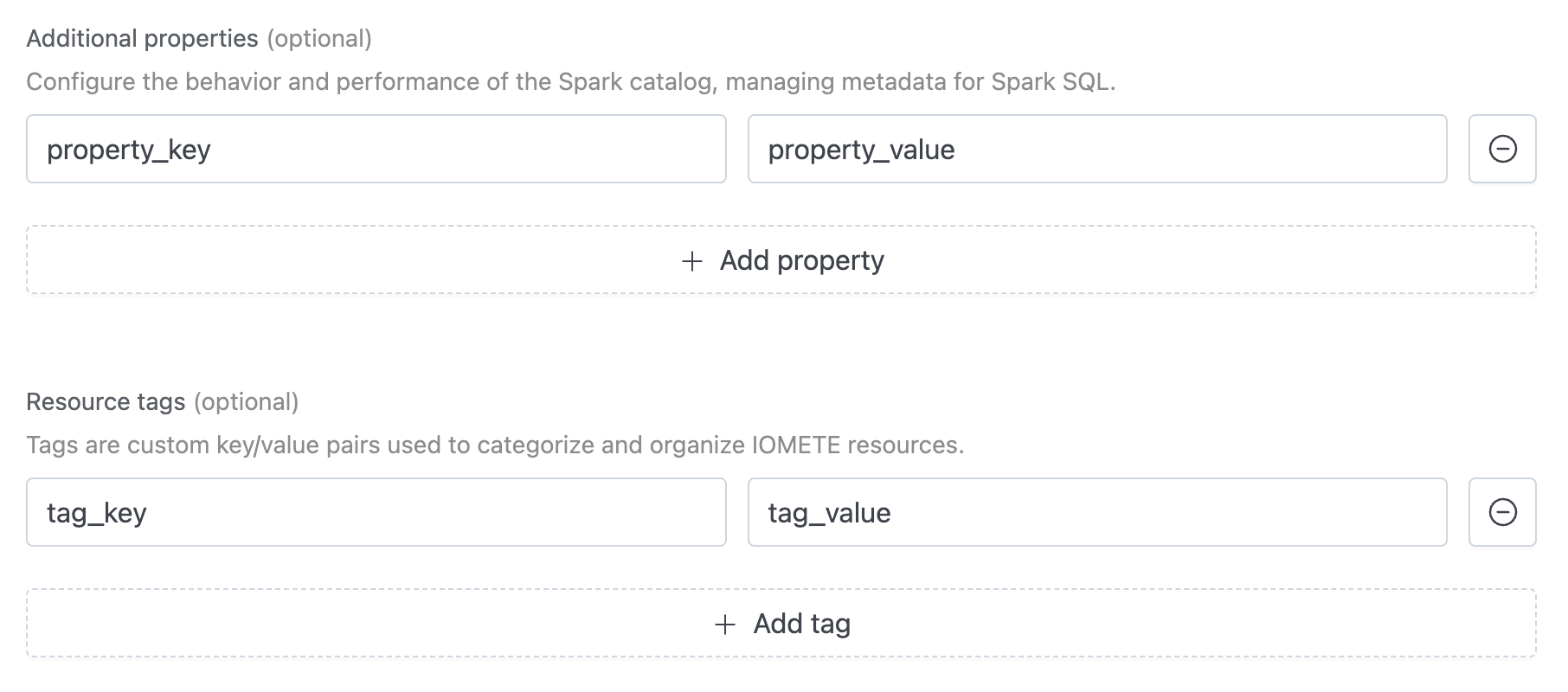
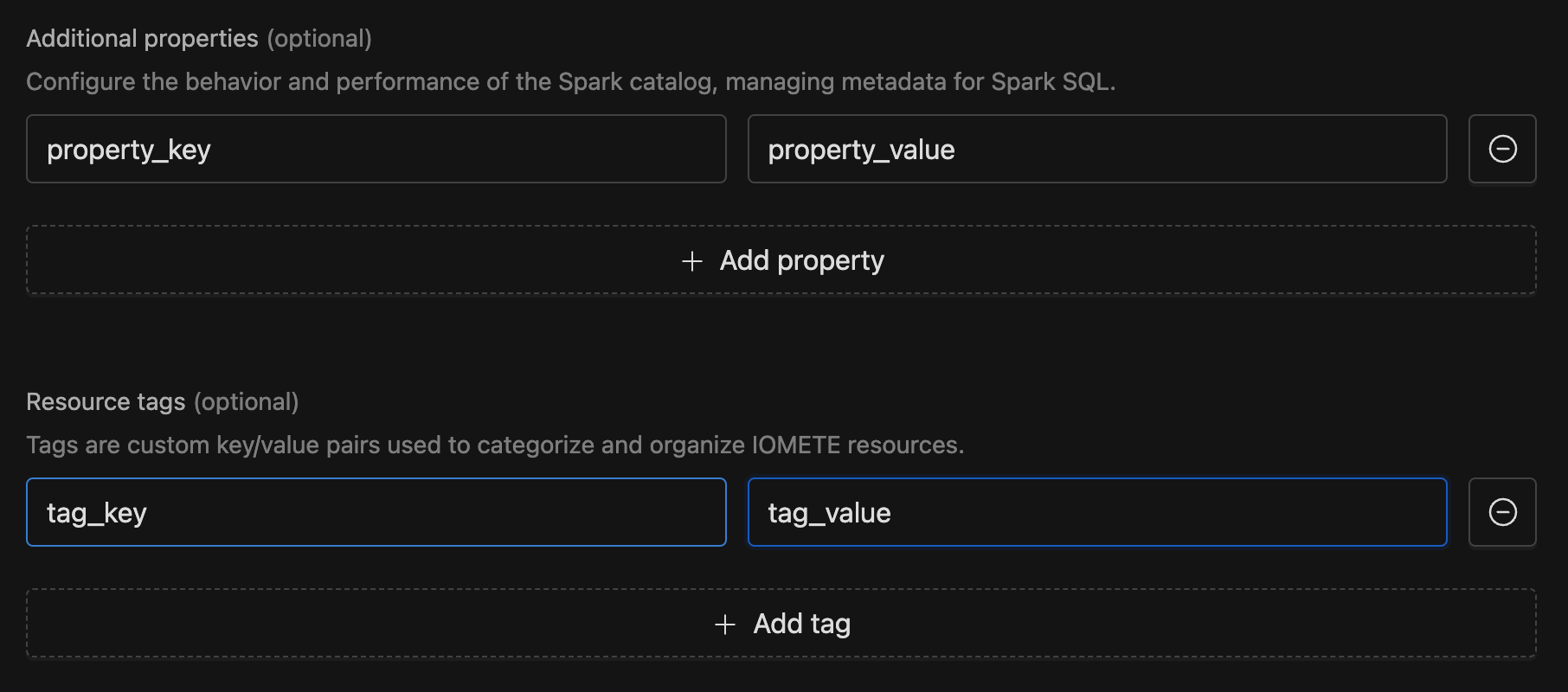
You can configure additional catalog properties and resource tags:
- Additional Properties — Key-value pairs that customize catalog behavior. These correspond to Iceberg catalog properties. Click Add property and enter a key and value.
- Resource Tags — Organize IOMETE resources with custom tags. Click Add tag and enter a key and value.
Validating and Saving
Click Test Connection to validate connectivity and permissions, then click Create or Save.


Editing and deleting the default catalog is not permitted; you can only make changes to other catalogs.
Restart relevant Lakehouses and Spark Connect instances to ensure a newly created catalog is available.
Connecting from External Applications
IOMETE exposes each managed catalog at the subpath /catalogs/<catalog name> on the same domain as the IOMETE console. All endpoints are compliant with the Iceberg REST Catalog OpenAPI specification.
For example, if your console is available at https://console.iomete.internal, the config endpoint for a catalog named my_catalog is:
https://console.iomete.internal/catalogs/my_catalog/v1/config
Authentication requires an Access Token. You can pass it via:
- The
X-API-Tokenheader - The
Authorization: Bearer <token>header (standard for Iceberg Spark/Trino clients)
The user associated with the token must have the necessary Access Policies on the catalog, namespace, and tables.
PySpark Example
pyspark \
    --conf spark.sql.catalog.my_catalog=org.apache.iceberg.spark.SparkCatalog \
    --conf spark.sql.catalog.my_catalog.catalog-impl=org.apache.iceberg.rest.RESTCatalog \
    --conf spark.sql.catalog.my_catalog.uri="https://<console-url>/catalogs/my_catalog" \
    --conf spark.sql.catalog.my_catalog.token="<access-token>" \
    --conf spark.sql.catalog.my_catalog.warehouse="<path-to-your-s3-warehouse>" \
    --conf spark.sql.catalog.my_catalog.s3.endpoint="<s3-endpoint>" \
    --conf spark.sql.catalog.my_catalog.s3.client.region="<region>" \
    --conf spark.sql.catalog.my_catalog.s3.access-key-id="<access-key>" \
    --conf spark.sql.catalog.my_catalog.s3.secret-access-key="<secret-key>" \
    --conf spark.sql.catalog.my_catalog.s3.path-style-access=true \
    --conf spark.sql.defaultCatalog=my_catalog \
    --conf spark.sql.extensions=org.apache.iceberg.spark.extensions.IcebergSparkSessionExtensions \
    --packages org.apache.iceberg:iceberg-spark-extensions-3.5_2.12:1.9.2,org.apache.iceberg:iceberg-spark-runtime-3.5_2.12:1.9.2,org.apache.iceberg:iceberg-aws-bundle:1.9.2
If the IOMETE console uses HTTPS with certificates not in your JVM's default truststore, configure a custom truststore:
--conf "spark.driver.extraJavaOptions=-Djavax.net.ssl.trustStore=<path> -Djavax.net.ssl.trustStorePassword=<password>"
Access Delegation
Access delegation is available starting with IOMETE 3.16.0.
Without access delegation, external clients must be configured with their own (static) S3 credentials to read data from Iceberg tables. Static credentials are difficult to rotate, cannot be scoped per-table, and pose a security risk if leaked.
Access delegation allows the REST catalog to handle data access on behalf of clients, so they only need a catalog-level access token. The Iceberg REST specification defines two access delegation modes, both implemented by IOMETE:
| Mode | How it works | Credentials leave the server? |
|---|---|---|
| Credential Vending | Catalog issues temporary, scoped credentials per table | Yes — client receives short-lived credentials |
| Remote Signing | Catalog signs requests on behalf of the client via presigned requests | No — credentials never leave the server |
Both modes enforce Data Security policies. Permissions are derived from the configured data governance rules:
SELECTprivilege → read-only S3 accessINSERT/DELETEprivileges → read-write S3 access
Global Configuration (System Configs)
Access delegation settings can be configured globally via System Configs and overridden per catalog via additional catalog properties.
Credential Vending
| System Config | Description | Default |
|---|---|---|
iceberg-catalog.vended-credentials.enabled | Enable credential vending for all catalogs | false |
iceberg-catalog.vended-credentials.ttl | Time-to-live for vended credentials (seconds) | 3600 |
iceberg-catalog.vended-credentials.sts.role-arn | IAM role ARN for STS AssumeRole | — |
iceberg-catalog.vended-credentials.sts.external-id | External ID for confused deputy protection | — |
iceberg-catalog.vended-credentials.sts.kms-enabled | Include KMS permissions for SSE-KMS encrypted buckets | false |
To use this, your S3 compatible storage must have an equivalent of the STS AssumeRole. The credentials configured in IOMETE to connect to your object store must allow IOMETE to call STS AssumeRole to be able to issue temporary credentials.
Remote Signing
| System Config | Description | Default |
|---|---|---|
iceberg-catalog.remote-signing.enabled | Enable remote signing for all catalogs | false |
iceberg-catalog.remote-signing.token-ttl | Time-to-live for signing JWT tokens (seconds) | 3600 |
Per-Catalog Overrides
You can override global settings on individual catalogs by adding these as Additional Properties when creating or editing a catalog:
Credential Vending:
| Property | Overrides | Fallback |
|---|---|---|
vended-credentials.ttl | Global TTL | — |
vended-credentials.sts.role-arn | Global role ARN | — |
vended-credentials.sts.external-id | Global external ID | — |
vended-credentials.sts.kms-enabled | Global KMS setting | — |
vended-credentials.sts.region | — | s3.client.region |
vended-credentials.sts.endpoint | — | s3.endpoint |
vended-credentials.sts.access-key-id | — | s3.access-key-id |
vended-credentials.sts.secret-access-key | — | s3.secret-access-key |
Remote Signing:
| Property | Overrides | Fallback |
|---|---|---|
remote-signing.token-ttl | Global token TTL | — |
remote-signing.s3.region | — | s3.client.region |
Client-Side Cache
Global system configs for client-side caching were added in IOMETE 3.16.2.
Compute engines (Spark, Trino, Flink, etc.) cache Iceberg table metadata locally to reduce catalog lookups and improve performance. Previously, these cache settings had to be configured per-catalog. With these global system configs, you can now configure caching behavior for all Iceberg catalogs at once. Individual catalogs can still override these defaults via additional catalog properties. See the Iceberg CatalogProperties documentation for more details.
| System Config | Description | Default |
|---|---|---|
iceberg-catalog.cache-enabled | Controls whether the catalog will cache table entries upon load. If cache.expiration-interval-ms is set to 0, caching is disabled regardless of this setting. | true |
iceberg-catalog.cache.expiration-interval-ms | Duration in milliseconds after which cached catalog entries expire. 0 disables caching entirely, -1 disables expiration (entries only expire on refresh). | 30000 |
iceberg-catalog.cache.case-sensitive | Controls whether cache keys are case-sensitive. Set to false when using case-insensitive identifiers to prevent cache misses due to casing differences. | true |
If you have enabled case-insensitive identifiers (features.caseInsensitiveIcebergIdentifiers.enabled: true in Helm values), you should also set iceberg-catalog.cache.case-sensitive to false in System Configs. This ensures the cache correctly handles identifiers regardless of casing and prevents duplicate cache entries for the same table.
Case-Insensitive Identifiers
IOMETE supports case-insensitive Iceberg table and database names. When enabled, identifiers like MyDatabase.MyTable and mydatabase.mytable are treated as equivalent.
This is a platform-level setting configured via Helm values:
# Helm values
features:
  caseInsensitiveIcebergIdentifiers:
    enabled: false  # default
When enabled:
- All Iceberg namespace and table names are normalized to lowercase
- Queries using different casings resolve to the same objects
- Prevents duplicate databases/tables from being created with different casings
When enabling case-insensitive identifiers, also configure the client-side cache to be case-insensitive by setting iceberg-catalog.cache.case-sensitive to false in System Configs. See Client-Side Cache for details.
Unique Table Locations
For Iceberg tables created without an explicit LOCATION, IOMETE derives a unique storage directory, so that renaming a table and later recreating one with the same name cannot resolve to the same physical path. Tables created with an explicit LOCATION are not affected — the location you supply is always used as-is.
By default, a table created without an explicit LOCATION derives its location from its name (warehouse/namespace/table). Because renaming a table only updates the catalog pointer and leaves its files in place, recreating a table with the old name would otherwise land in the same directory as the renamed table. The two tables would then share one directory, and running remove_orphan_files on one deletes the other's data. This feature appends a short random suffix to the derived path (e.g. .../sales-9f3a1c7e) to keep each such table in its own directory.
This is a platform-level setting configured via Helm values:
# Helm values
features:
  enforceUniqueIcebergTableLocations:
    enabled: true  # default
When enabled:
- A table created without an explicit
LOCATIONgets a unique-suffixed directory - Renaming a table and recreating one with the old name resolve to different directories
- Tables created with an explicit
LOCATIONare unaffected — the given location is used verbatim
Disabling this restores the legacy warehouse/namespace/table paths, where renaming a table and then recreating one with its old name leaves both tables sharing a single directory. Running remove_orphan_files on either table can then delete the other's data.
Operational Settings
Overload Protection
The REST catalog enforces a maximum number of concurrent requests to prevent pod overload. When the limit is exceeded, the catalog returns HTTP 503 Service Unavailable. This can be used to protect the service from denial of service type attacks.
# Helm values
services:
  restCatalog:
    settings:
      maxConcurrentRequests: 10000  # default
Client Request Tracking
When enabled, HTTP metrics are tagged with the access token name and user ID. This provides per-client visibility into request rates, latency, and error rates in Grafana.
# Helm values
services:
  restCatalog:
    settings:
      serviceAccountRequestTracking: false  # default
Enabling request tracking adds per-client labels (iomete_user_id, iomete_pat) to HTTP metrics. These are high-cardinality labels — most metrics backends (Prometheus, Mimir, Thanos, Datadog) are sensitive to label cardinality and can experience performance degradation or increased storage costs. Only enable this if you have a limited number of access tokens and your metrics infrastructure can handle the additional cardinality.
Rate Limiting
Per-token rate limiting prevents individual clients from overwhelming the catalog. Each service account access token can have a configurable max requests per second (maxRPS).
# Helm values
features:
  ratelimiter:
    enabled: false  # default
When enabled, IOMETE deploys a dedicated rate limiter pod alongside the REST catalog.
See Service Account Access Tokens for configuring maxRPS per token.
Scaling
The REST catalog supports horizontal scaling via replicas or HPA:
# Helm values
services:
  restCatalog:
    replicas: 1  # default
    autoscaling:
      enabled: false
      minReplicas: 1
      maxReplicas: 3