Adding Existing Tables from S3 into IOMETE
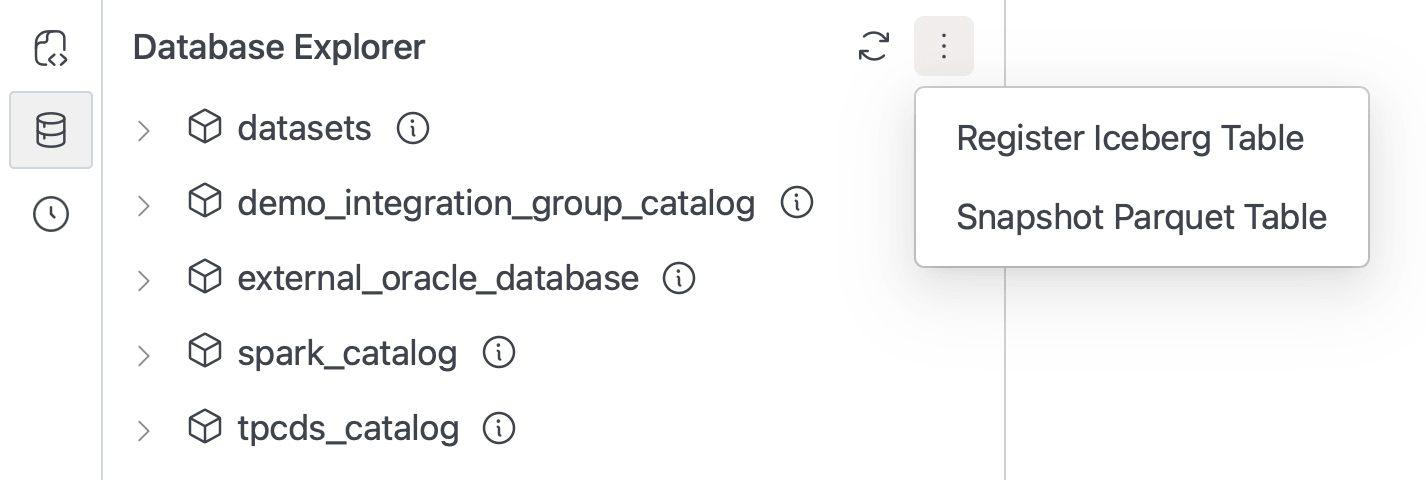
IOMETE allows you to bring external tables stored in S3-compatible storage into your catalogs and databases. This can be done in two ways depending on the type of table:
- Register Iceberg Table – for tables that already exist as Iceberg in S3 but have no catalog metadata in IOMETE.
- Snapshot Parquet Table – for plain Parquet tables without Iceberg metadata, enabling them to be used as Iceberg inside IOMETE.
These options ensure you can easily integrate both Iceberg and Parquet data sources into IOMETE for query and management, without modifying the original data.
1. Register Iceberg Table from S3 Location
Description
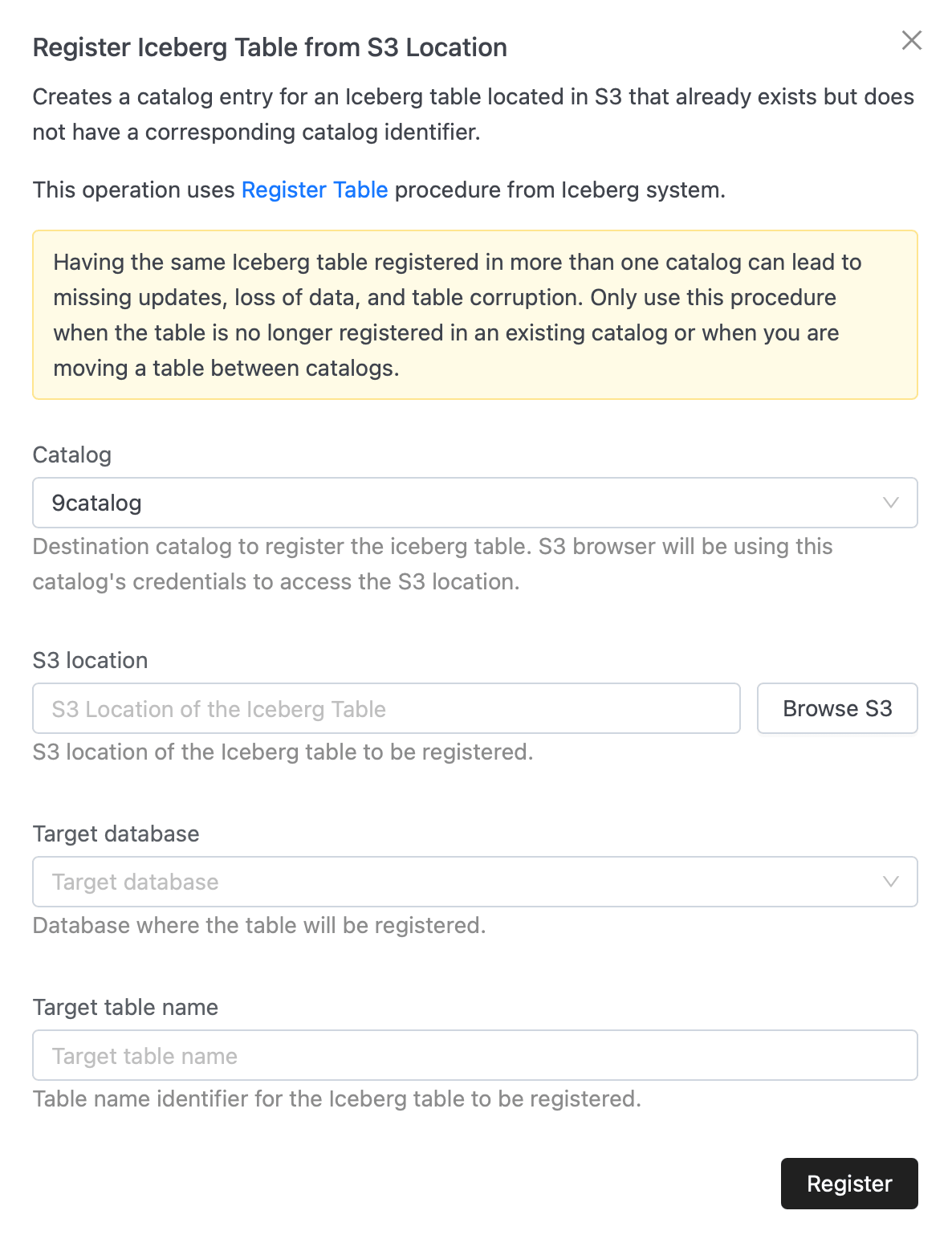
Creates a catalog entry for an Iceberg table that already exists in S3. This does not move or copy data; it simply makes the table visible and manageable inside IOMETE by attaching catalog metadata.
The operation uses the Register Table procedure from the Iceberg system.
Registering the same Iceberg table in more than one catalog may cause missing updates, data loss, or table corruption. Only use this when:
- The table is not already registered in any catalog, or
- You are moving the table between catalogs.
Usage Guide
- Open Register Iceberg Table from S3 Location in the UI.
- Select the Catalog where you want the table registered.
- Enter or browse to the S3 location of the Iceberg table.
- Provide the Target database for registration.
- Enter a Target table name to identify the table inside IOMETE.
- Click Register.
The table will now appear in the selected catalog and database, ready for querying.
Example Scenarios
- You migrated Iceberg tables from another environment and want to attach them to IOMETE.
- You created Iceberg tables externally (e.g., via Spark or Flink) and now want to use them within IOMETE.
- You are re-organizing tables between catalogs and need to re-register them.
2. Snapshot Parquet Table
Description
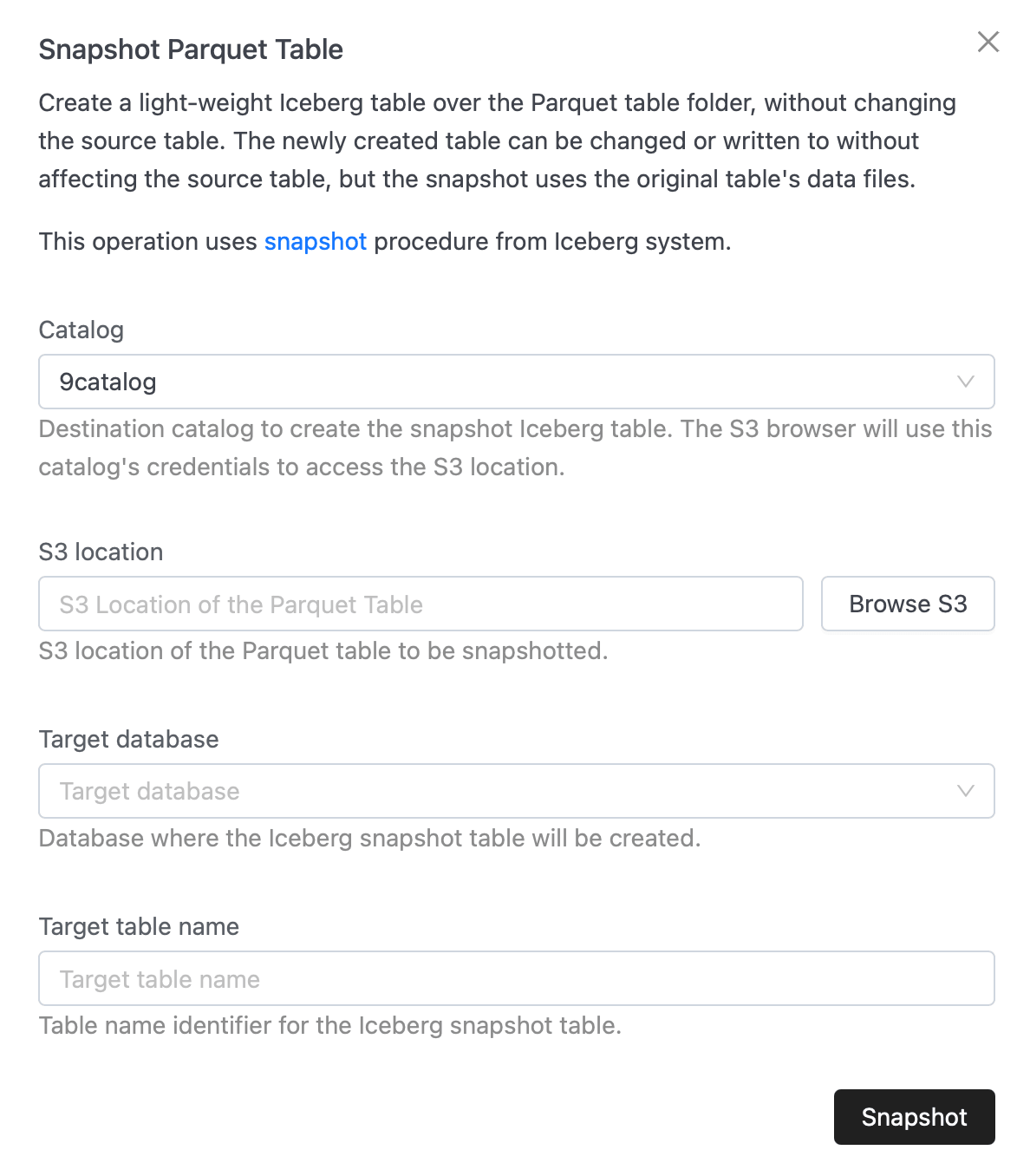
Creates a lightweight Iceberg table on top of a plain Parquet dataset stored in S3, without altering the source files. The new Iceberg snapshot table references the Parquet data but can be independently queried, modified, or extended within IOMETE.
The operation uses the Snapshot procedure from the Iceberg system.
This gives you the benefits of Iceberg (ACID transactions, schema evolution, time travel, etc.) while keeping the original Parquet files intact.
Usage Guide
- Open Snapshot Parquet Table in the UI.
- Select the Catalog where the Iceberg snapshot table will be created.
- Enter or browse to the S3 location of the Parquet dataset.
- Provide the Target database where the snapshot will live.
- Enter a Target table name for the Iceberg snapshot.
- Click Snapshot.
The snapshot is now a full Iceberg table inside IOMETE but does not affect the original Parquet files.
Example Scenarios
- You have raw Parquet datasets exported from another system (e.g., Spark, Hive, Glue, or ETL pipelines) and want to manage them with Iceberg features in IOMETE.
- You want to test schema evolution or incremental updates on Parquet data without touching the source files.
- You want to expose a legacy Parquet table as Iceberg for better integration with modern query engines.
✅ Summary
- Use Register Iceberg Table when the table is already Iceberg in S3.
- Use Snapshot Parquet Table when the table is plain Parquet with no Iceberg metadata.
Both approaches let you add existing external data into IOMETE for querying, management, and further processing.