Advanced Configuration
Each maintenance operation has a set of properties that control how it runs, like target file sizes for compaction, snapshot retention windows, and sort strategies. The defaults are tuned to work well in most cases, so you usually don’t need to change them. But if a table has specific needs, you can override these at the catalog level (for all tables) or just for an individual table (overrides the catalog default for that table only).
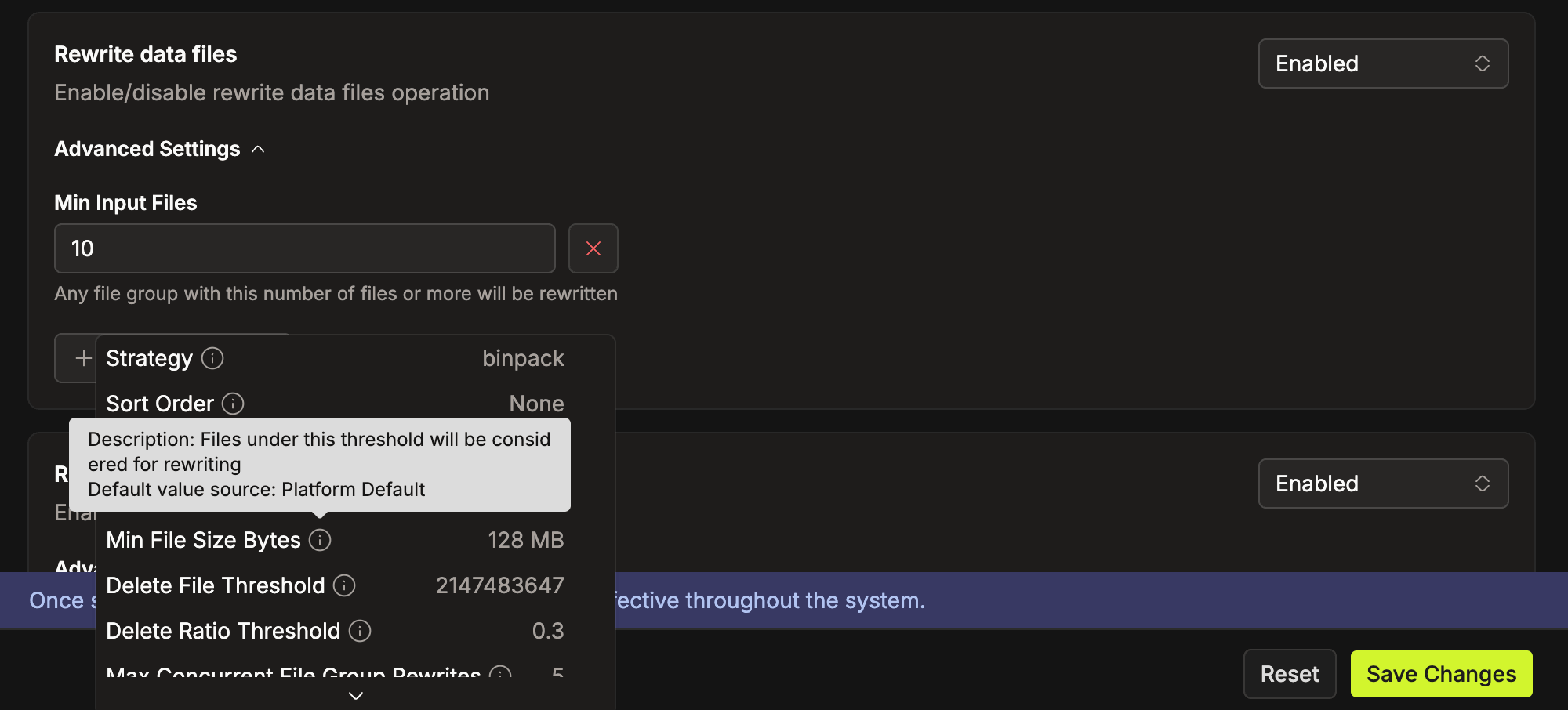
Open the Advanced Settings panel on any operation card to view overridden properties. Use the Add Property dropdown to add a new override. Each option displays the property's current value and shows a tooltip with its Description and Default Value Source on hover.
To remove an override and fall back to the inherited default, click the ❌ button next to the property.
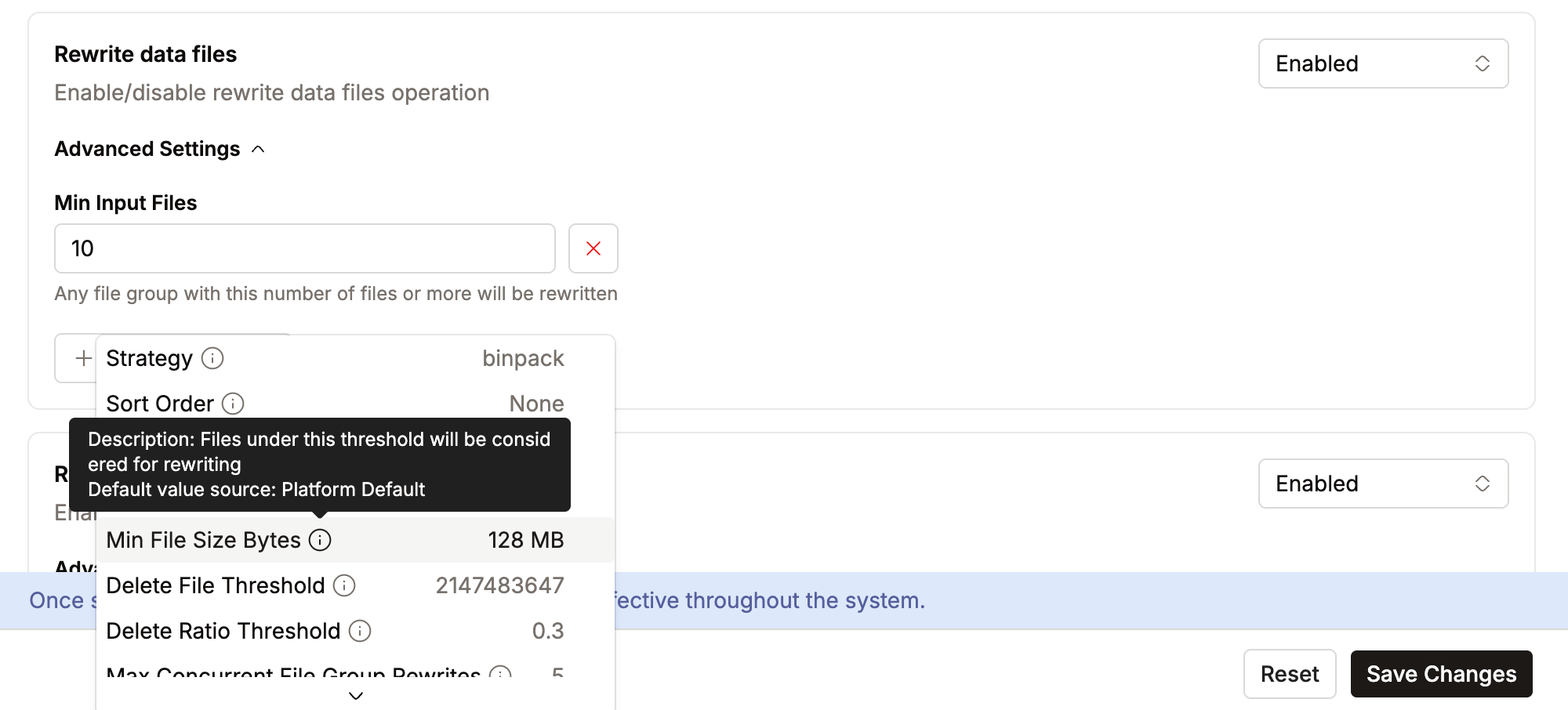
Validation errors display inline below each field. If an error is inside a collapsed Advanced Settings panel, the panel expands automatically and the page scrolls to the first invalid field.
Operations
Rewrite Data Files
As data arrives in small batches (through streaming, frequent appends, or small updates), tables accumulate many tiny data files. Each file adds query-planning overhead, and reading dozens of small files is far less efficient than reading a few larger files.
This operation combines small files into larger ones, targeting an optimal file size. The result is shorter query-planning time and better I/O throughput.
| Property | Type | Platform Default | Description |
|---|---|---|---|
| Strategy | String | binpack | Must be binpack or sort. Use sort to cluster data by sort order; requires a sort order to be defined on the table or set in Sort Order. |
| Sort Order | String | — | Sort order for sort strategy, e.g. col1 DESC, col2 ASC. Falls back to the table's default sort order if not set. |
| Where Clause | String | — | Optional filter to restrict which files are compacted. |
| Target File Size Bytes | Long | 512 MB | Desired output file size after compaction |
| Min File Size Bytes | Long | 128 MB | Files smaller than this are candidates for compaction. |
| Max File Size Bytes | Long | 1 GB | Files larger than this are candidates for rewriting. |
| Min Input Files | Integer | 5 | Minimum number of files required to trigger compaction in a group. |
| Max Concurrent File Group Rewrites | Integer | 5 | Higher values increase parallelism but risk commit conflicts. |
| Delete File Threshold | Integer | 2,147,483,647 | Number of delete files that triggers compaction of a file group. |
| Delete Ratio Threshold | Double | 0.3 | Ratio of delete entries to data rows that triggers compaction. |
| Partial Progress Enabled | Boolean | false | Commits progress incrementally instead of all at once. Useful for very large tables. |
| Partial Progress Max Commits | Integer | 10 | Max number of incremental commits per run. |
| Partial Progress Max Failed Commits | Integer | 10 | Maximum number of failed commits allowed before the rewrite fails, when partial progress is enabled. |
| Max File Group Size Bytes | Long | 100 GB | Largest amount of data that should be rewritten in a single file group. |
| Remove Dangling Deletes | Boolean | false | Remove delete files that no longer reference any data rows. |
Rewrite Manifest Files
Each snapshot references data files through manifest files. Over time, the manifest count grows, and the query engine must read every one of them during planning. This operation consolidates manifests, reducing the metadata the query planner needs to scan.
| Property | Type | Default | Description |
|---|---|---|---|
| Use Caching | Boolean | false | Enable Spark caching during the operation. This can increase executor memory usage. |
Expire Snapshots
Every write, update, or delete creates a new Iceberg snapshot. Over time, hundreds of snapshots pile up, each retaining references to old data files. This bloats metadata and prevents old data files from being garbage collected.
Expiring snapshots removes those beyond a retention window, freeing the referenced data files for cleanup.
| Property | Type | Default | Description |
|---|---|---|---|
| Older Than | Duration | 5 days | Snapshots older than this value are eligible for removal. |
| Retain Last | Integer | 1 | Minimum number of snapshots to keep, regardless of age. |
Cleanup Orphan Files
Failed writes, aborted jobs, and certain table operations can leave files on storage that aren't referenced by any snapshot. These "orphan" files consume storage without serving any purpose. This operation scans the entire table storage location and removes unreferenced files.
Because this operation performs a full scan, it doesn't run immediately when a table changes. A changed table is queued for orphan cleanup, which then runs at the next time on its cron schedule.
| Property | Type | Default | Description |
|---|---|---|---|
| Older Than | Duration | 3 days | Remove orphaned files older than this duration. |
| Cron Schedule | Cron | 0 0 * * 7 (weekly, Sunday midnight) | Schedule for orphan cleanup. Weekly or monthly is recommended. (Requires 5-field UNIX cron) |
Orphan cleanup has several built-in safety mechanisms:
- Minimum retention period:
Older Thanmust be between 3 and 365 days. Lower values are rejected when you save. - Orphan percentage threshold: the operation aborts if orphan files exceed 30% of total files, to prevent against accidental mass deletion. When this happens, check for misconfiguration or data corruption first, then run
remove_orphan_filesmanually via the SQL Editor. - Batched deletion: files are deleted in batches with a cooldown between each batch to avoid overwhelming storage.
- Flink file exclusion: IOMETE reads the
flink.job-idfrom the latest snapshot and skips metadata files whose names match that job ID, even if they appear unreferenced. Data files written by Flink aren't affected.
Execution Model
- Rewrite Data Files and Rewrite Manifest Files run as Spark SQL jobs on your configured compute cluster.
- Expire Snapshots and Cleanup Orphan Files run directly on the
iom-maintenanceservice. No compute cluster is needed, but they consume service CPU and memory. If either operation becomes slow or causes service degradation, tune the service resources under Resource Defaults.
How Property Values Are Resolved
Every property value is resolved through a five-level precedence chain. The system works down the list and uses the first value it finds:
| Priority | Source | What it is |
|---|---|---|
| 1 | Table maintenance config | Values you've explicitly set for this table from the IOMETE UI. Highest priority; always wins. |
| 2 | Iceberg table properties | Raw Iceberg properties set directly on the table (e.g., via ALTER TABLE SET TBLPROPERTIES). Only a few IOMETE properties read from here (more details below). |
| 3 | Catalog maintenance config | The catalog-level defaults you've configured from IOMETE UI. Applies to all tables in the catalog unless overridden. |
| 4 | Iceberg catalog properties | Raw Iceberg properties set at the catalog level. Same as table properties but catalog-scoped. |
| 5 | Platform defaults | Built-in IOMETE defaults. Used as the final fallback when nothing else is set. |
Why do Iceberg properties affect maintenance settings?
These are native Iceberg properties, not IOMETE maintenance settings. They're defined on the table or catalog and influence how maintenance operations run.
If a table already defines one of these properties, IOMETE uses it as the default instead of requiring the same value in the maintenance configuration. This means your existing table settings are respected automatically.
Only a few IOMETE settings map to Iceberg properties. If these exist on the table or catalog and are not overridden in the maintenance configuration, their values are used.
The maintenance settings that read from Iceberg properties:
| IOMETE Property | Operation | Iceberg Property |
|---|---|---|
| Target File Size Bytes | Rewrite Data Files | write.target-file-size-bytes |
| Older Than | Expire Snapshots | history.expire.max-snapshot-age-ms |
| Retain Last | Expire Snapshots | history.expire.min-snapshots-to-keep |