Data Compaction Job
Iceberg tables slow down over time as small files, old snapshots, and unused files pile up. The Data Compaction Job cleans them up on a schedule. For every Iceberg table it processes, it runs four maintenance operations:
- Rewrite manifests: reorganizes table metadata for faster planning. See Rewrite Manifests.
- Rewrite data files: merges small files into larger ones. See Compact Data Files.
- Expire snapshots: removes old snapshots. See Expire Snapshots.
- Remove orphan files: deletes files no snapshot refers to. See Delete Orphan Files.
Tables in other formats, such as Hive or Parquet tables, are skipped.
IOMETE also offers built-in Table Maintenance (beta), which runs these operations automatically when a table needs them. Use either the built-in feature or this job for a given table, not both.
- Version:
1.2.14(see the Marketplace Jobs release notes for the latest version) - Source: View on GitHub
Installation
Marketplace
Open Job Templates and click Marketplace. Find the data-compaction card, click the ⋮ menu, and select Deploy.
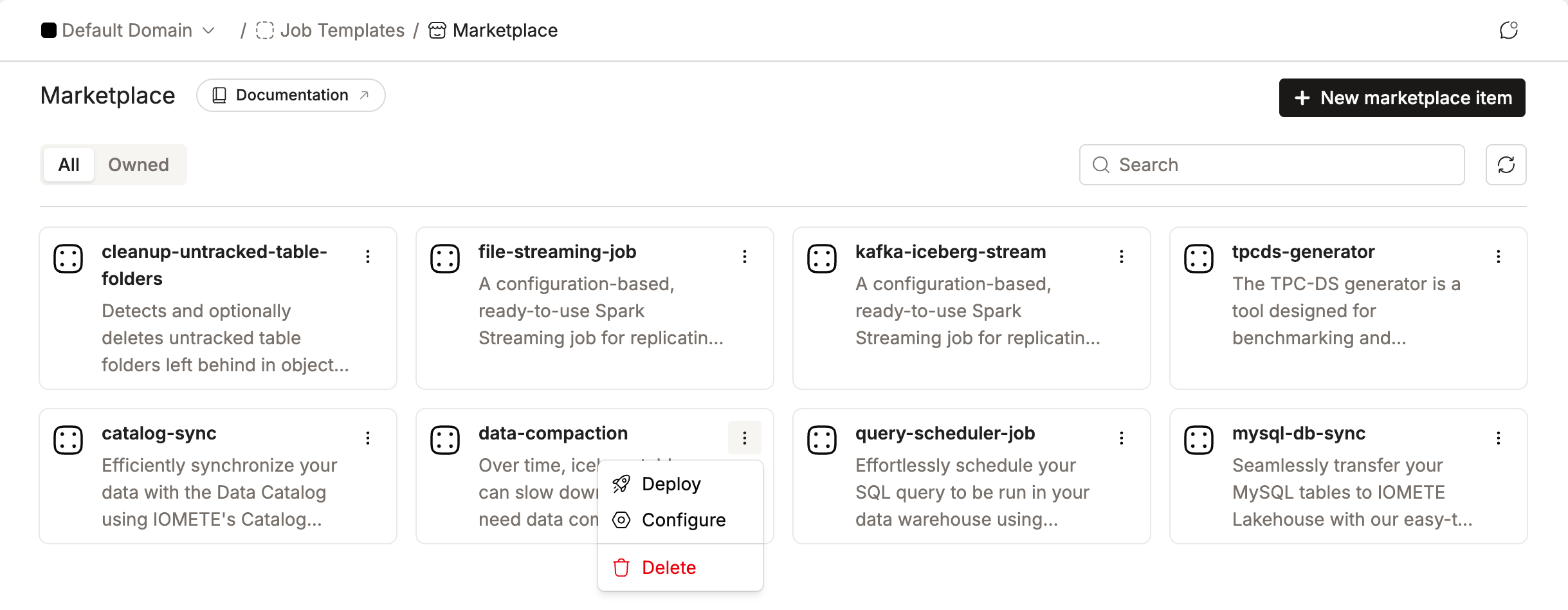
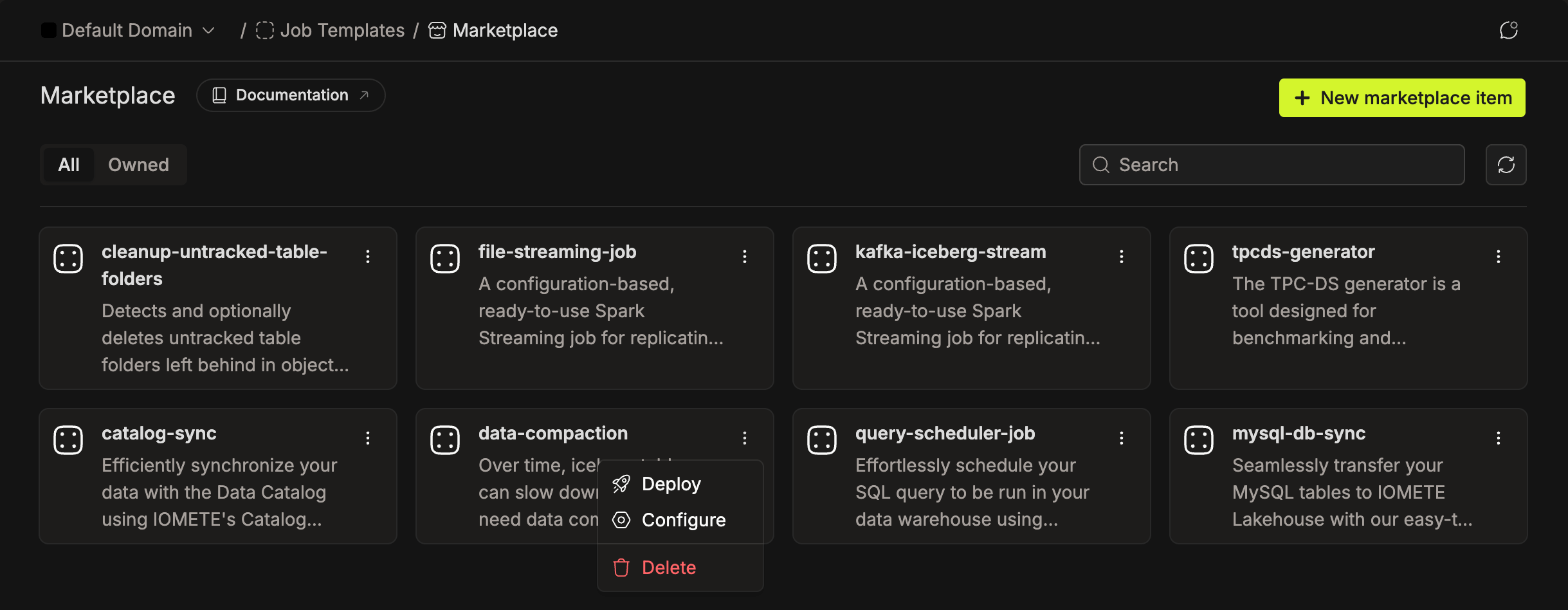
The job form opens pre-filled with recommended defaults and a weekly schedule. Review the config file (see Configuration), then click Create.
Manual Setup
Open Job Templates in the sidebar and click New job template.
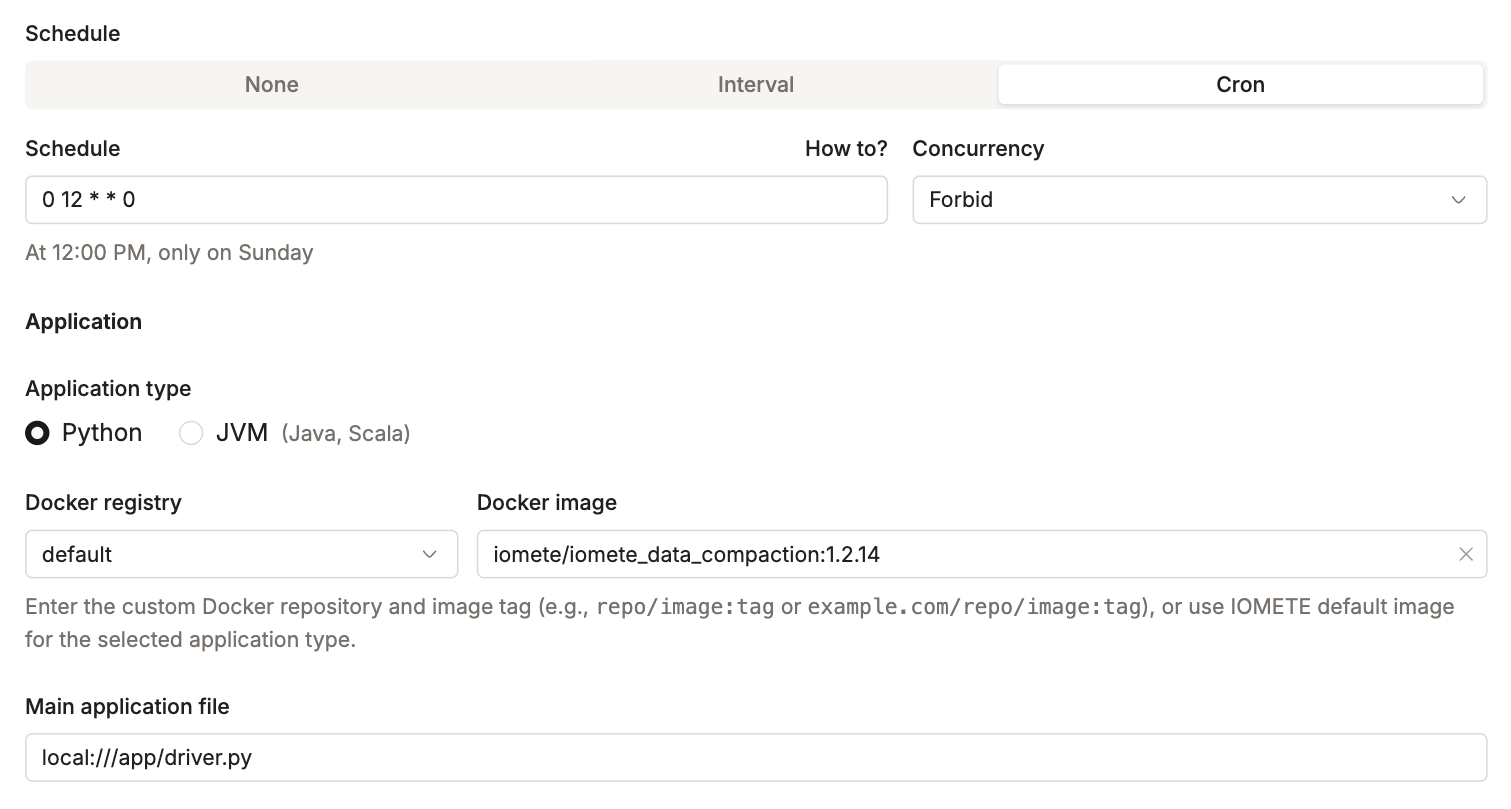
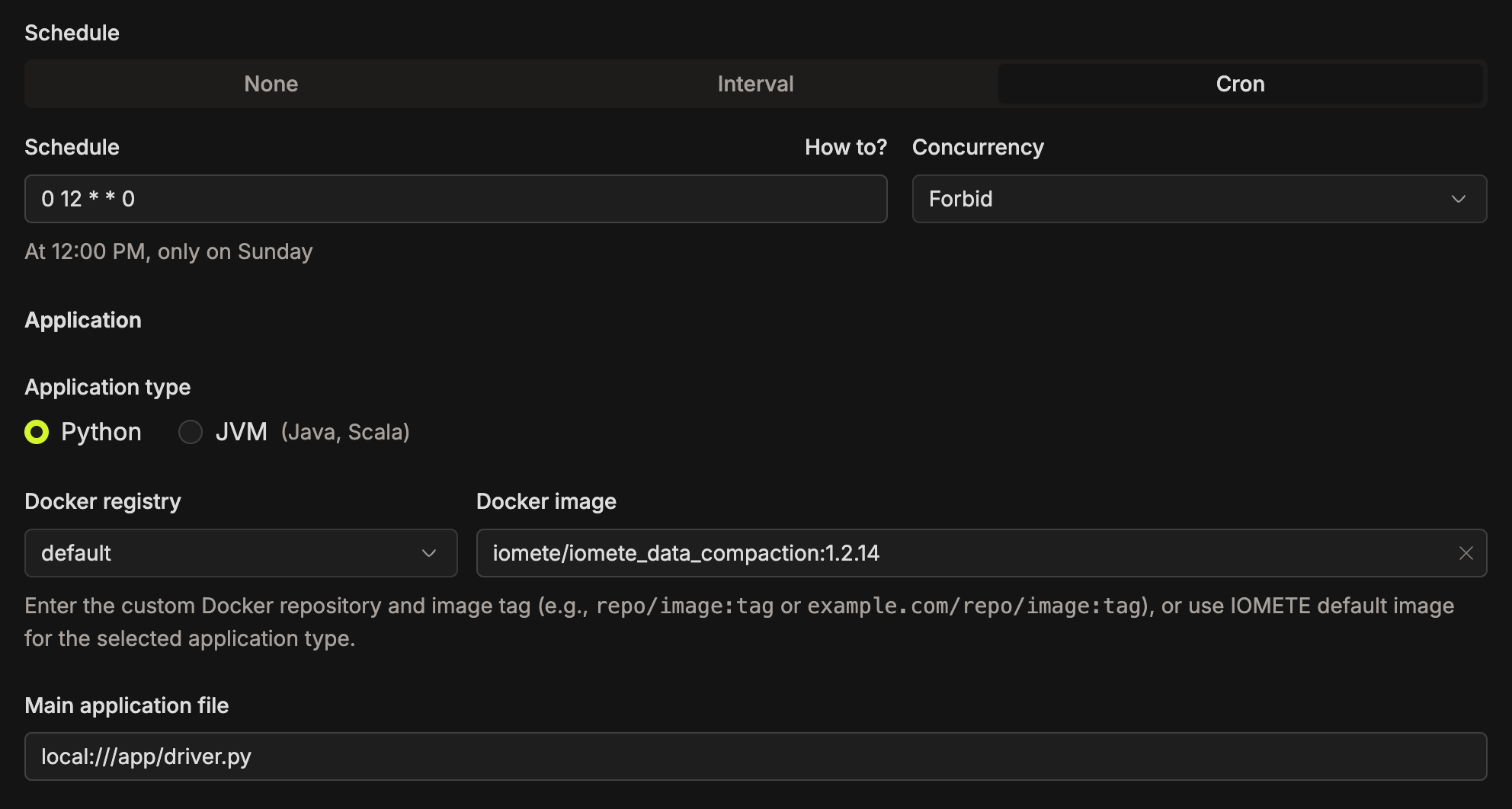
1. Name, Schedule, and Application
- Name: any name you like, for example
data-compaction - Schedule: select Cron and enter
0 12 * * 0(every Sunday at 12:00). Use any cron expression that fits your needs. Without a schedule, the job only runs when you start it. - Application type:
Python - Docker registry:
default - Docker image:
iomete/iomete_data_compaction:1.2.14(replace with the latest version) - Main application file:
local:///app/driver.py
2. Config File
Under Configurations, select the Config Maps tab and click Add config. Set File path to /etc/configs/application.conf and paste the HOCON template below.
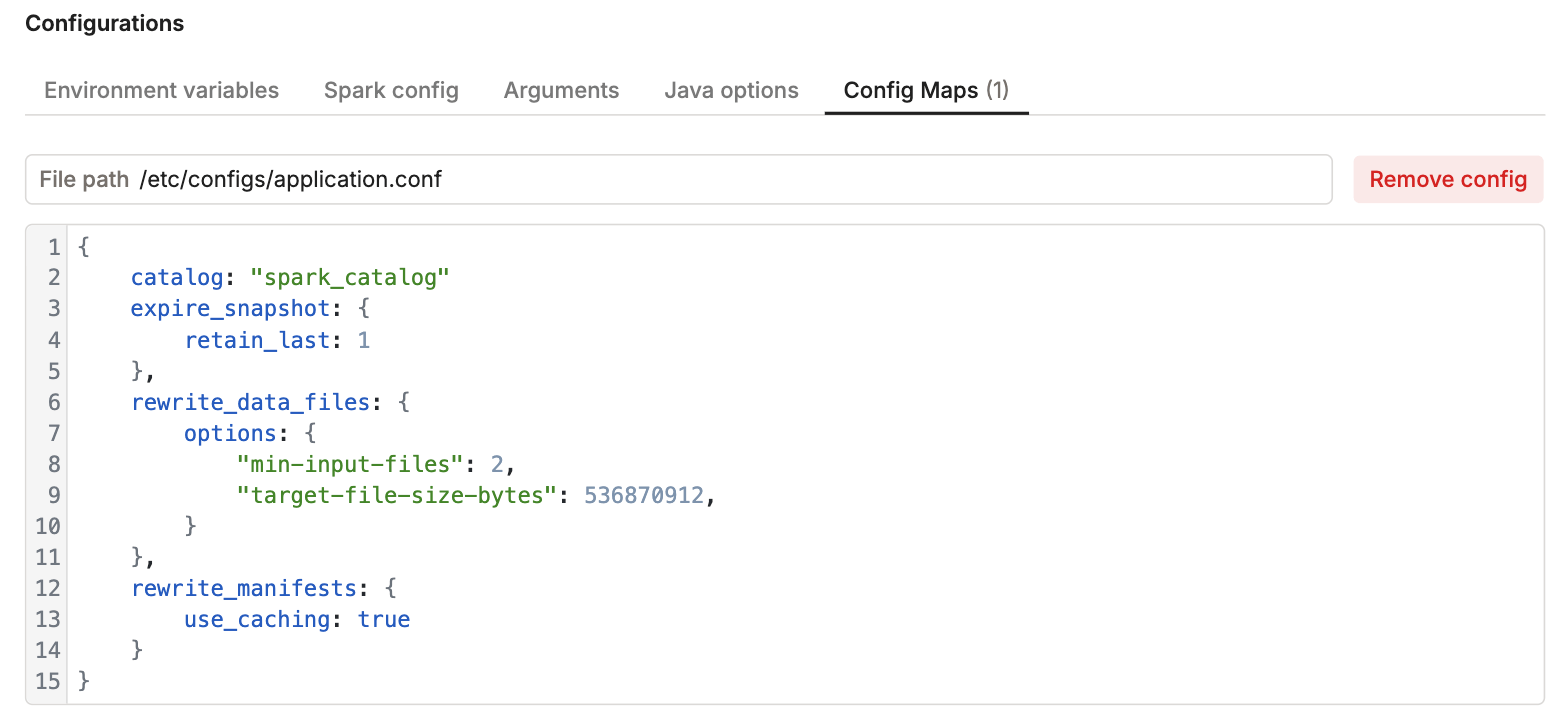
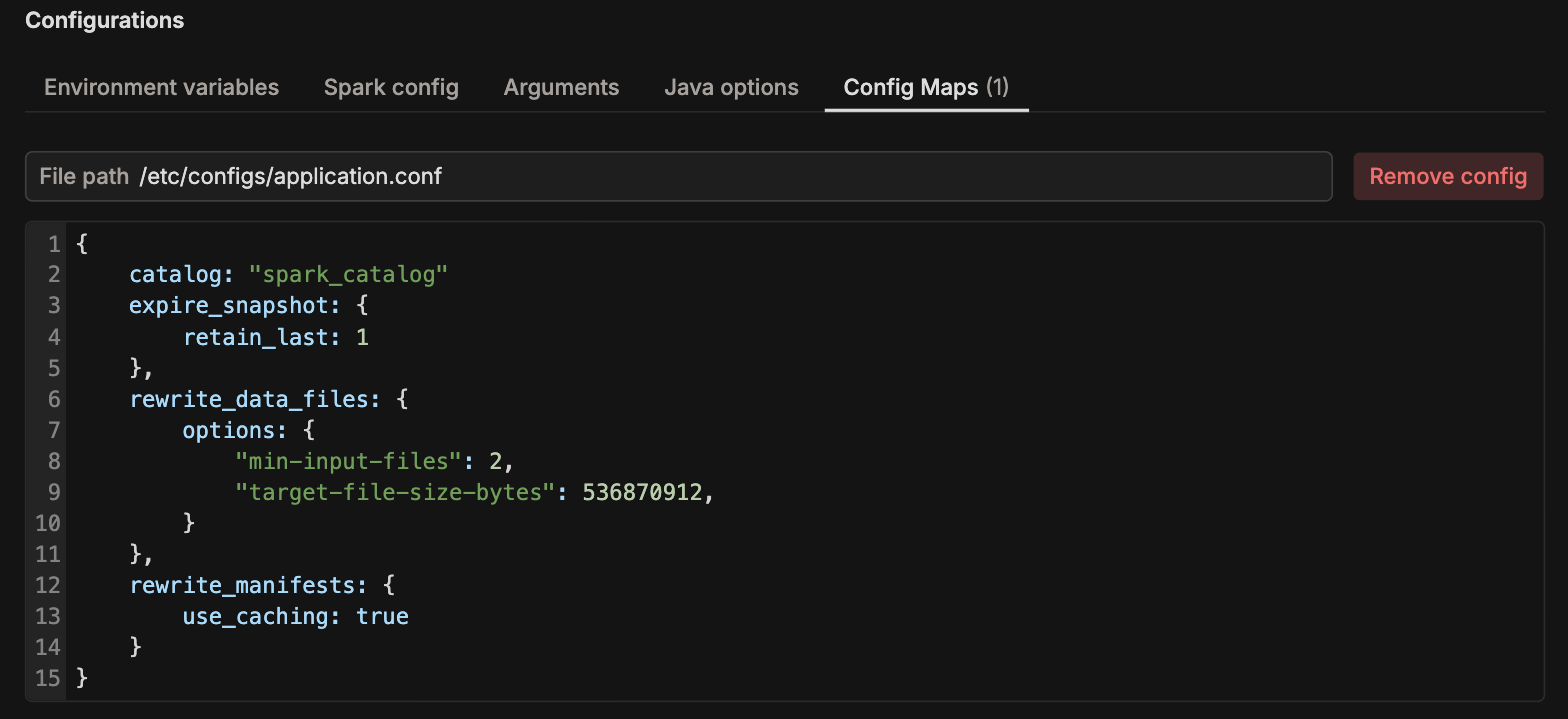
{
    catalog: "spark_catalog",
    expire_snapshot: {
        retain_last: 1
    },
    rewrite_data_files: {
        options: {
            "min-input-files": 2,
            "target-file-size-bytes": 536870912
        }
    }
}
3. Instance Resources
Pick driver and executor instance types that fit the size of your tables.
Click Create to save the job.
Configuration
The config file is HOCON. Only catalog is required. Every other field is optional and falls back to the default shown below.
Choosing Tables
By default the job processes every table in every database of the catalog.
| Field | Default | Description |
|---|---|---|
catalog | required | The catalog to compact, for example spark_catalog. |
databases | [] | Databases to process. Empty means all databases in the catalog. |
table_include | [] | Tables to process. See the notes below. |
table_exclude | [] | Tables to skip. |
Tables in table_include and table_exclude can be written as database.table to target one table, or as table to match that name in every database. Write table names in lowercase and without quotes, here and in table_overrides. A name that doesn't match a table is skipped without a warning.
table_includeonly limits the databases it mentions. Databases with no table in the list are still processed in full. To compact only a few tables, also setdatabasesto just the databases those tables are in.- If
table_includeis in the config at all, even as[],table_excludeis ignored. Leavetable_includeout when you usetable_exclude.
Operation Settings
Each operation has its own block. Set enabled: false in a block to skip that operation.
With the default settings, each run keeps only the latest snapshot of every table. You cannot time travel to earlier versions, and long-running queries can fail. Set expire_snapshot.older_than_days or a higher retain_last if you need history. A snapshot is kept if it is one of the last retain_last snapshots, or if it is newer than older_than_days.
| Field | Default | Description |
|---|---|---|
expire_snapshot.enabled | true | Run snapshot expiration. |
expire_snapshot.retain_last | 1 | Always keep the N most recent snapshots. |
expire_snapshot.older_than_days | not set | Remove snapshots older than N days. When not set, any snapshot older than 5 minutes can be removed. |
remove_orphan_files.enabled | true | Run orphan file cleanup. |
remove_orphan_files.older_than_days | 1 | Only delete orphan files older than N days. Set this longer than your longest-running write, or files from a write still in progress can be deleted. |
rewrite_data_files.enabled | true | Run data file compaction. |
rewrite_data_files.strategy | binpack | binpack merges small files. sort also sorts rows, which is slower but can speed up queries. |
rewrite_data_files.sort_order | not set | Columns to sort by when strategy is sort, for example "user_id ASC, event_time DESC". |
rewrite_data_files.where | not set | Only compact rows that match this SQL filter, for example "date <= CURRENT_DATE - 1". |
rewrite_data_files.options | {} | Iceberg rewrite options such as min-input-files and target-file-size-bytes. |
rewrite_manifests.enabled | true | Run manifest rewrites. |
Other Settings
| Field | Default | Description |
|---|---|---|
parallelism | 4 | Number of tables processed at the same time. |
table_overrides | not set | Per-table operation settings. See Example 2. |
gc_handling.enabled | false | For tables with garbage collection turned off, turn it on for the run and off again afterwards. See the warning below. |
lock.enabled | false | Skip tables that another run is already compacting. See Table Locking. |
lock.ttl_seconds | 172800 | How long a lock lasts before it expires (48 hours). |
Leave gc_handling off unless you know why garbage collection was turned off on a table. Some tables, such as copies that share files with another table, have it off on purpose. Turning it on can delete files the other table still needs.
Examples
Example 1: Compact Selected Databases
Processes every table in analytics and production except production.raw_ingest.
{
    catalog: "spark_catalog",
    databases: ["analytics", "production"],
    table_exclude: ["production.raw_ingest"]
}
Example 2: Different Settings for One Table
Keeps 7 days of snapshots everywhere, but 30 days for analytics.user_events, and rewrites that table sorted by user_id. rewrite-all rewrites every file, not just small ones, so the whole table ends up sorted.
{
    catalog: "spark_catalog",
    expire_snapshot: {
        older_than_days: 7
    },
    table_overrides: {
        analytics.user_events: {
            expire_snapshot: {
                older_than_days: 30
            },
            rewrite_data_files: {
                strategy: "sort",
                sort_order: "user_id ASC",
                options: {
                    "rewrite-all": true
                }
            }
        }
    }
}
Example 3: Only Clean Up, No Rewrites
Expires snapshots and removes orphan files, but skips both rewrite operations.
{
    catalog: "spark_catalog",
    rewrite_data_files: {
        enabled: false
    },
    rewrite_manifests: {
        enabled: false
    }
}
Table Locking
When lock.enabled is true, the job marks each table with the iomete.compaction.lock table property while it works on it. Other runs that also have lock.enabled set skip a table that is already locked. Runs without it ignore the lock, so turn it on in every job that compacts the same tables. The lock is removed when the table is done.
If a run crashes, its locks expire on their own after lock.ttl_seconds. To check or clear a lock by hand:
SHOW TBLPROPERTIES spark_catalog.analytics.user_events;

ALTER TABLE spark_catalog.analytics.user_events UNSET TBLPROPERTIES ('iomete.compaction.lock');
Set ttl_seconds longer than your slowest table takes to compact, or the lock can expire while the job is still working on it.
Checking Results
A run can show as successful even when some tables failed, because the job continues with the next table. After a run, check these tables and the job's logs:
| Table | Contents |
|---|---|
spark_catalog.iomete_system_db.table_optimisation_run_metrics | Results of each operation on each table. |
spark_catalog.iomete_system_db.table_optimisation_run_errors | Tables where an operation failed, with the error. |
Running the Job
The Marketplace template runs every Sunday at 12:00. To trigger a run on demand, open the job and click Run.
To change the schedule, edit the job and set the Schedule parameter (cron expression).