MySQL Database Replication Job
The MySQL Database Replication Job copies tables from a MySQL database into the IOMETE Lakehouse on a schedule. You point the job at a source database, list the tables to sync, choose between a full reload or an incremental snapshot, and the job handles the rest.
- Version: see the Marketplace Jobs release notes for the latest version
- Source: View on GitHub
Installation
Marketplace
Open Job Templates and click Marketplace. Find the mysql-sync card, click the ⋮ menu, and select Deploy.
The job form opens pre-filled with recommended defaults. Add your database password as an environment variable and your sync rules as a config file (see Configuration), then click Create.
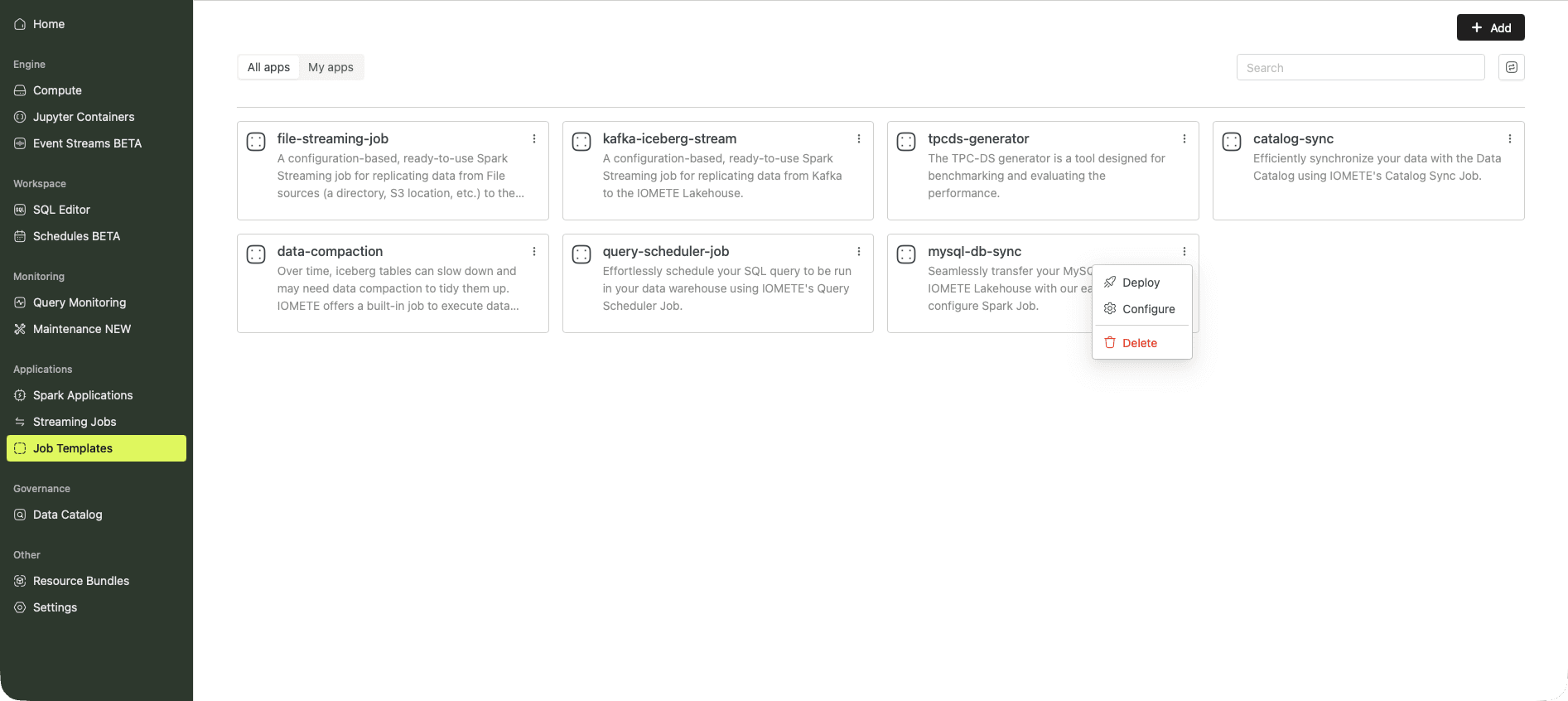
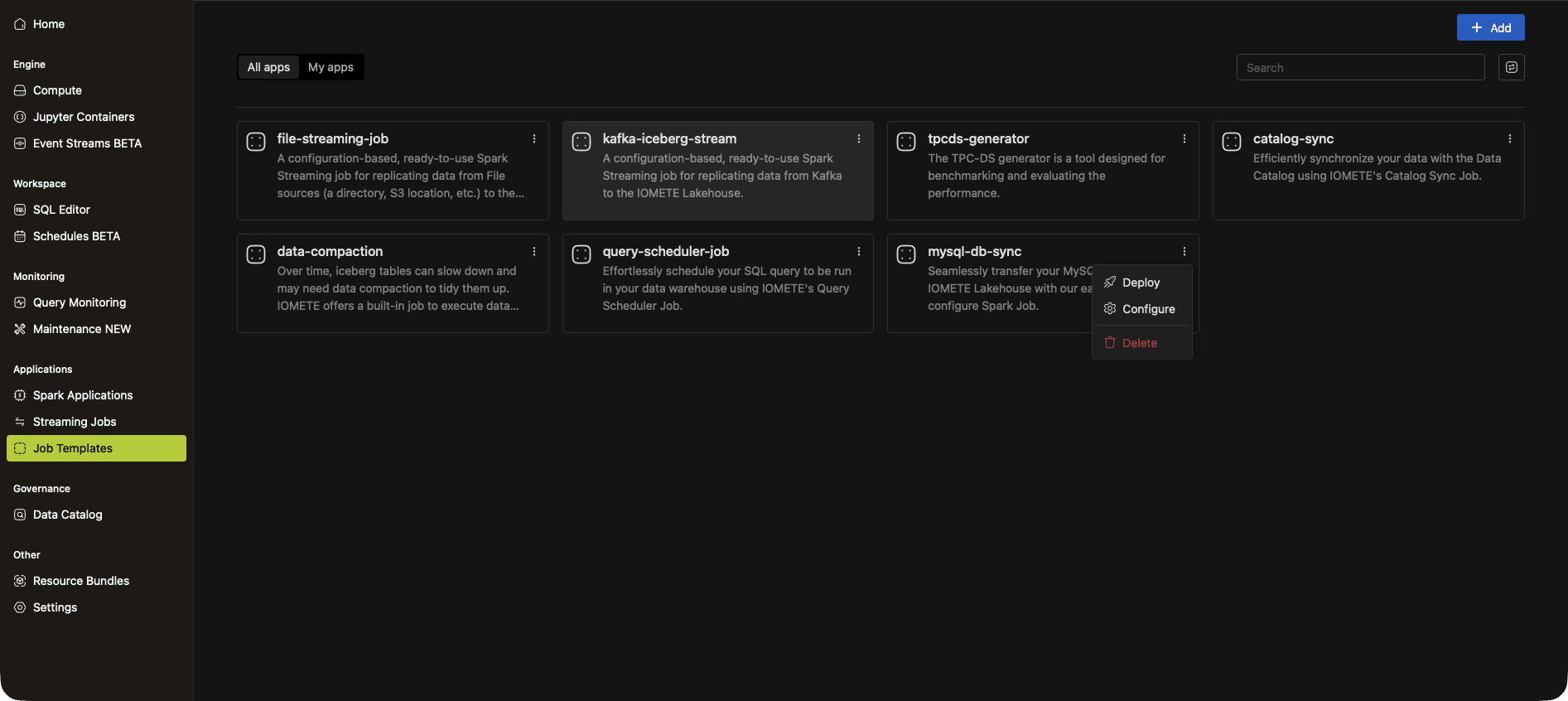
To customize the template, copy it from the Marketplace into your own job and adjust as needed.
Manual Setup
Open Job Templates in the sidebar and click New Job Template.
1. Name and Application
- Name: any name you like, for example
mysql-db-sync - Application type:
Python - Docker image:
iomete.azurecr.io/iomete/iomete_mysql_sync:<version>(see Marketplace Jobs release notes for the latest version) - Main application file:
local:///app/driver.py
2. Environment Variables
Store the database password as an environment variable rather than checking it into the config file. Add a variable named DB_PASSWORD with your MySQL password as the value, then reference it from the config as ${DB_PASSWORD}.
3. Config File
Expand Application configurations, click Add config file, and paste the HOCON template below. See Configuration for what each field does.
{
    source_connection: {
        host: "your-mysql-host.example.com",
        port: 3306,
        username: mysql_user,
        password: $\{DB_PASSWORD}
    },
    syncs: [
        {
            source.schema: employees
            source.tables: ["*"]
            source.exclude_tables: [departments, dept_manager]
            destination.schema: employees_raw
            sync_mode.type: full_load
        }
    ]
}
4. Instance Resources
Pick driver and executor instance types that fit your data volume.
Click Create to save the job.
Configuration
The config file is HOCON. It declares the source MySQL connection and one or more sync entries.
Source Connection
| Field | Description |
|---|---|
host | The address of the MySQL database, for example your-mysql-host.example.com. |
port | The MySQL port, usually 3306. |
username | The MySQL user the job connects as. |
password | The user's password. Reference an environment variable like ${DB_PASSWORD} rather than embedding the value. |
Syncs
The syncs array contains one or more sync entries. Each entry describes a source schema, the tables to include, the destination schema in IOMETE, and the sync mode.
| Field | Description |
|---|---|
source.schema | The schema in the MySQL database to read from. |
source.tables | The tables to sync. Use ["*"] to include every table in the schema. You can also pass a SQL subquery as a virtual table — see Subquery Sources. |
source.exclude_tables | Optional. Tables to skip when source.tables is ["*"]. |
destination.schema | The schema in the IOMETE Lakehouse where rows are written. |
sync_mode.type | Either full_load or incremental_snapshot. See Sync Modes. |
Sync Modes
full_load
Reads everything from the source table and overwrites the destination table on every run. Use this for small or slowly-changing tables where you want each run to be a clean snapshot.
incremental_snapshot
Brings over only rows inserted or updated since the last run, using a MERGE statement against a snapshot of the table in the destination. Use this for large tables where a full reload is too expensive.
This mode requires two extra fields:
| Field | Description |
|---|---|
sync_mode.identification_column | The primary key column used in the merge condition, typically id. |
sync_mode.tracking_column | A monotonically increasing column the job uses to find new rows since the last sync, typically updated_at. The column must be set on every insert and update. |
Subquery Sources
Instead of a table name, an entry in source.tables can be a SQL subquery wrapped in triple-quoted HOCON strings, with an alias. This replicates a derived view rather than a raw table.
source.tables: [
  """
  (SELECT emp_no, sum(salary) total_salary FROM salaries group by emp_no)
  as total_salaries
  """
]
The job replicates the subquery result into a destination table named after the alias (total_salaries in this example).
Examples
Example 1: Full Load Excluding Some Tables
Replicates every table in the employees schema except salaries into employees_raw on each run.
{
    source.schema: employees
    source.tables: ["*"]
    source.exclude_tables: [salaries]
    destination.schema: employees_raw
    sync_mode.type: full_load
}
Example 2: Specific Tables Full Load
Replicates only the departments and dept_manager tables.
{
    source.schema: employees
    source.tables: [departments, dept_manager]
    destination.schema: employees_raw
    sync_mode.type: full_load
}
Example 3: Incremental Snapshot
Brings over only new or changed rows in the salaries table, using id as the primary key and updated_at as the change-tracking column.
{
    source.schema: employees
    source.tables: [salaries]
    destination.schema: employees_raw
    sync_mode: {
      type: incremental_snapshot
      identification_column: id
      tracking_column: updated_at
    }
}
Running the Job
The job runs on its schedule. To trigger a run on demand, open the job and click Run.
To change the schedule, edit the job and set the Schedule parameter (cron expression).