Control Plane vs Data Plane in Kubernetes and IOMETE

"Control plane" and "data plane" get used loosely enough in cloud infrastructure that the terms start to blur. The terms predate Kubernetes, but Kubernetes gives them a concrete architectural meaning, and IOMETE, built on Kubernetes, inherits the same split one layer up. This post walks through what the terms mean in K8s, component by component, then traces the same boundary through IOMETE's own services and namespaces.
What Is Kubernetes?
Kubernetes is a declarative engine for container orchestration: you describe the state you want, and Kubernetes works continuously to make reality match it. Every cluster splits that job into two halves: a control plane that's the "brain," deciding what should exist, and a data plane that's the "muscle," actually running it.
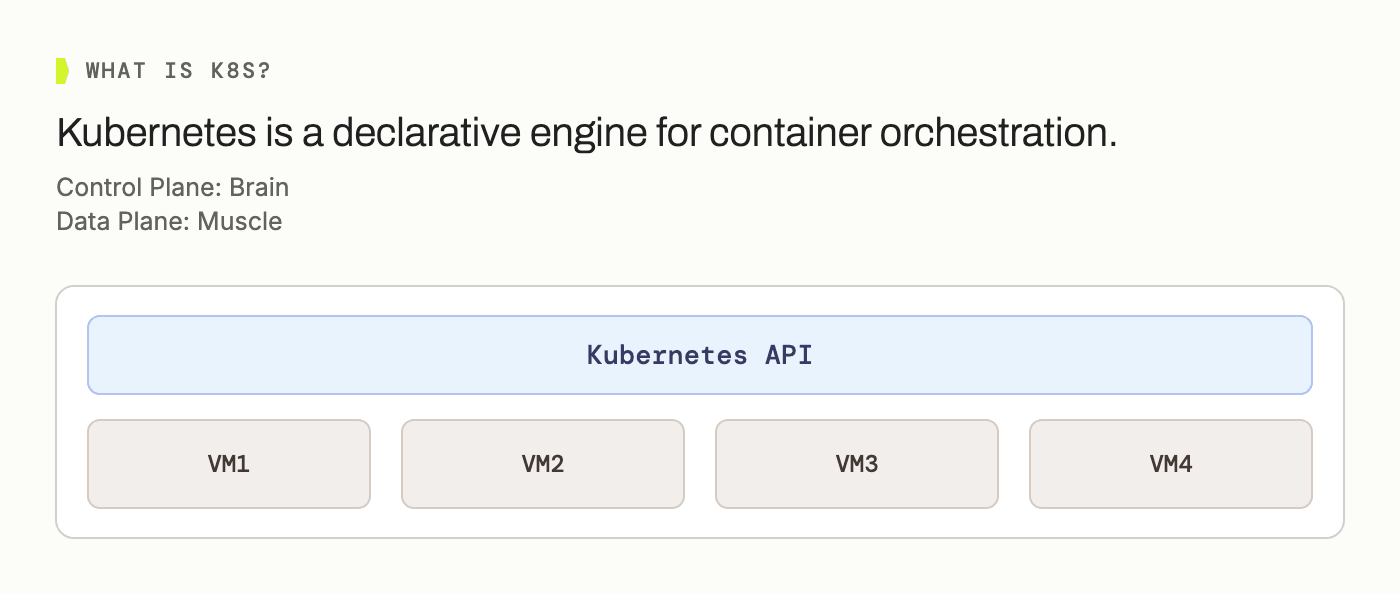
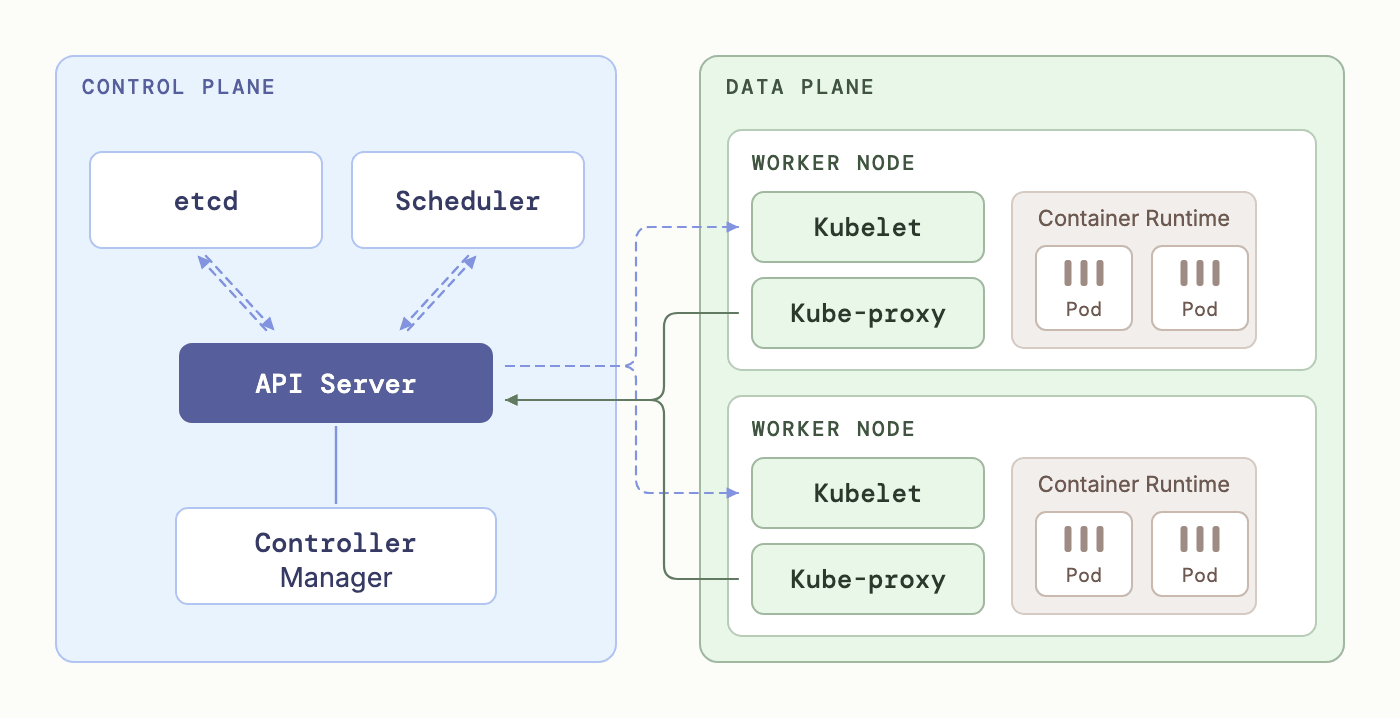
The split matters because the two halves fail differently and scale differently. Losing the control plane for a few minutes is usually survivable: pods keep running, they just can't be rescheduled. Losing data plane capacity means workloads stop executing immediately. Anyone sizing a cluster ends up reasoning about the two separately.
The Control Plane, Piece by Piece
Four components make up the control plane, and each has one clear job:
| Component | Role |
|---|---|
| kube-apiserver | The cluster's front door; every request passes through it |
| etcd | The source of truth; a distributed key-value store |
| kube-scheduler | Decides which node a new pod lands on |
| kube-controller-manager | Runs control loops that reconcile actual state with desired state |
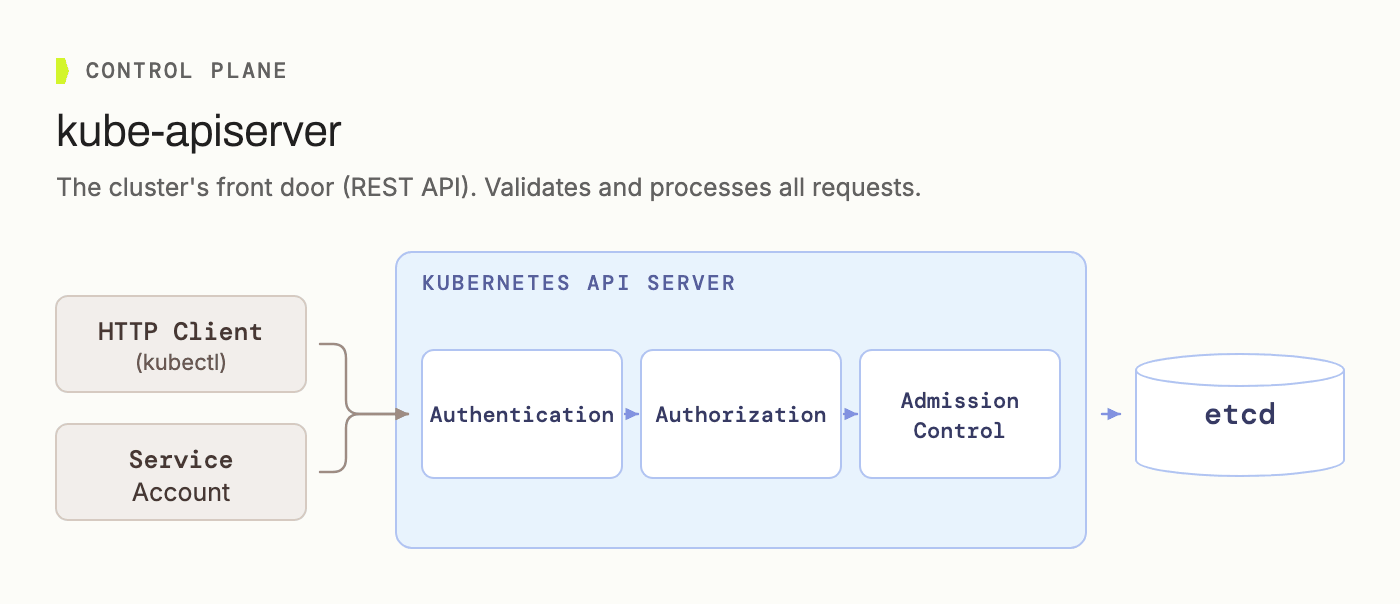
kube-apiserver is the cluster's front door. Every request, whether from kubectl, a service account, or any controller, passes through authentication, authorization, and admission control before it's allowed to touch anything.
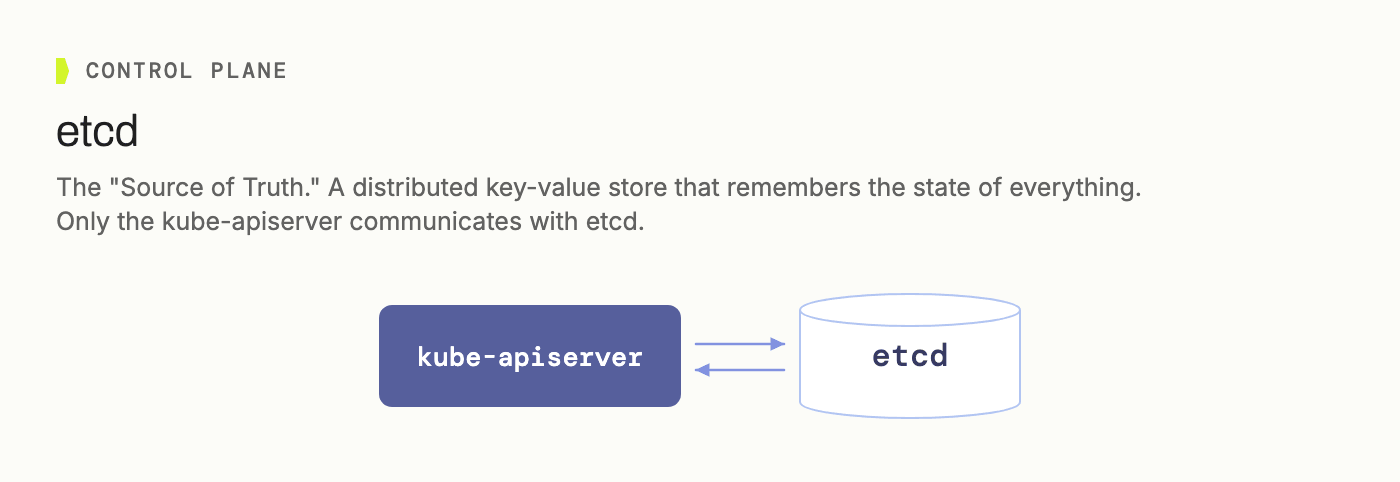
etcd is the source of truth: a distributed key-value store that remembers the state of everything in the cluster. Only the API server talks to it directly; nothing else is allowed to.
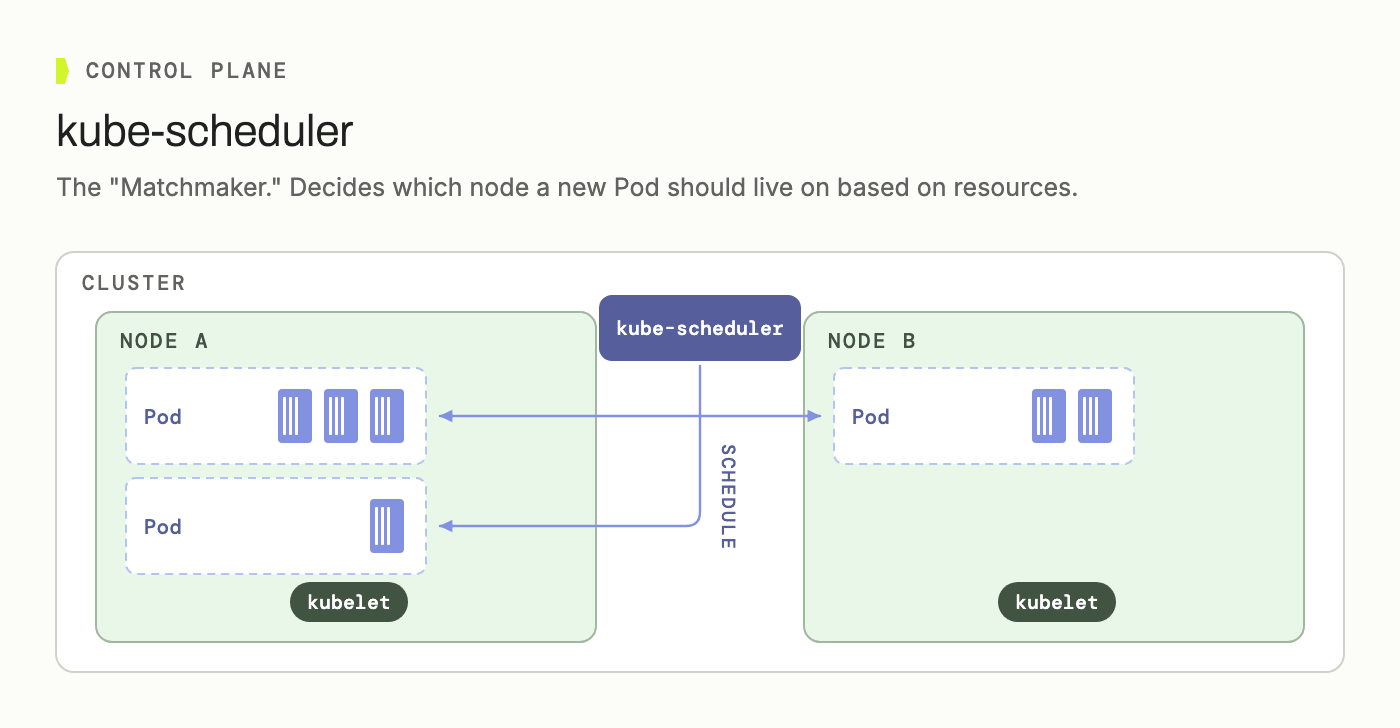
kube-scheduler is the matchmaker. When a new pod needs a home, the scheduler decides which node it lands on, based on available resources.
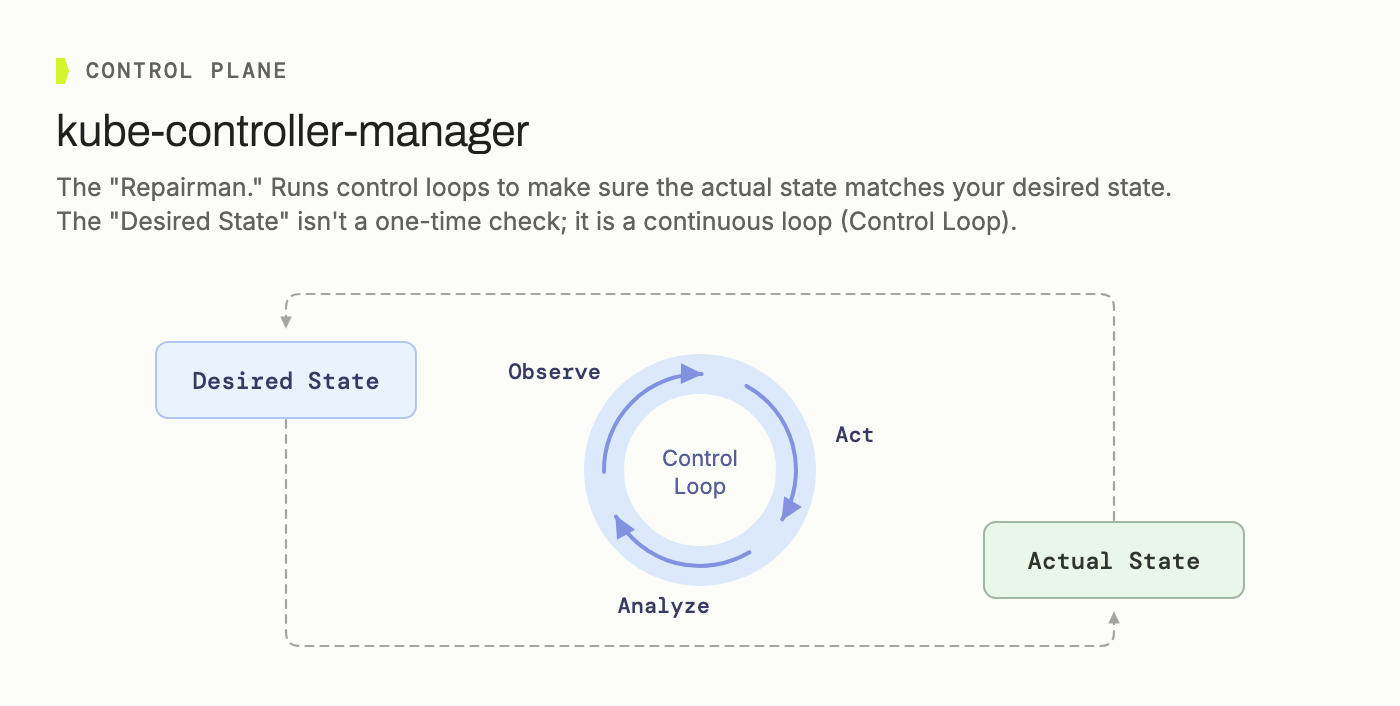
kube-controller-manager is the repairman. It runs control loops that continuously compare actual state against desired state and nudge one toward the other: observe, analyze, act, repeat. "Desired state" isn't a one-time check, it's a loop that never stops running.
None of these four components touch a workload's actual traffic or bytes. They're bookkeeping and decision-making, end to end.
The Data Plane, Piece by Piece
Here are the common components that make up the data plane, the layer that actually runs workloads and moves bytes around:
| Component | Role |
|---|---|
| kubelet | Runs on every node; manages the full pod lifecycle |
| kube-proxy | Routes Service traffic to the right pod |
| CNI | Builds the virtual network between pods |
| CRI | Pulls images and runs the container processes |
| CSI | Provisions and mounts persistent storage |
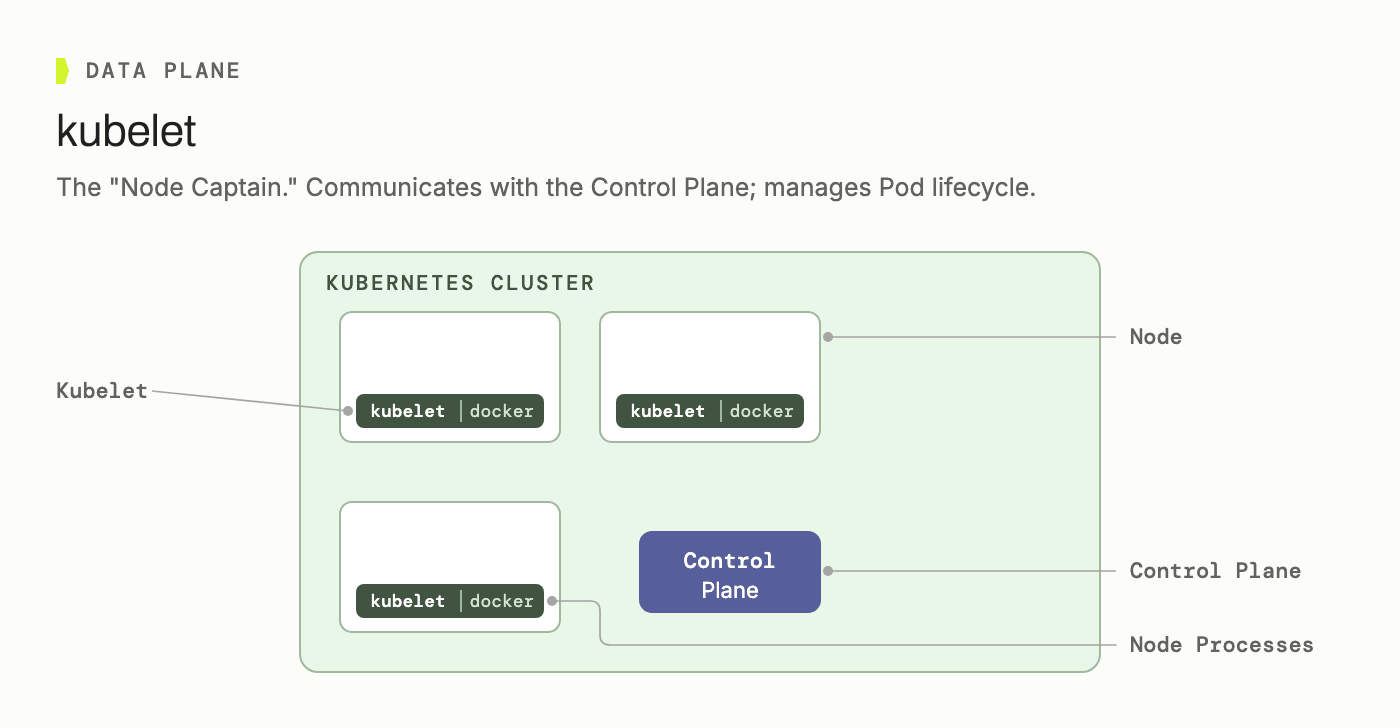
kubelet is the node captain. It runs on every node, talks back to the control plane, and manages the full lifecycle of every pod scheduled to it.
kube-proxy is the network manager. It maintains the iptables or IPVS rules that remap a stable Service address to whichever pod IP is actually behind it right now.

Three more interfaces round out the data plane, each swappable by design.
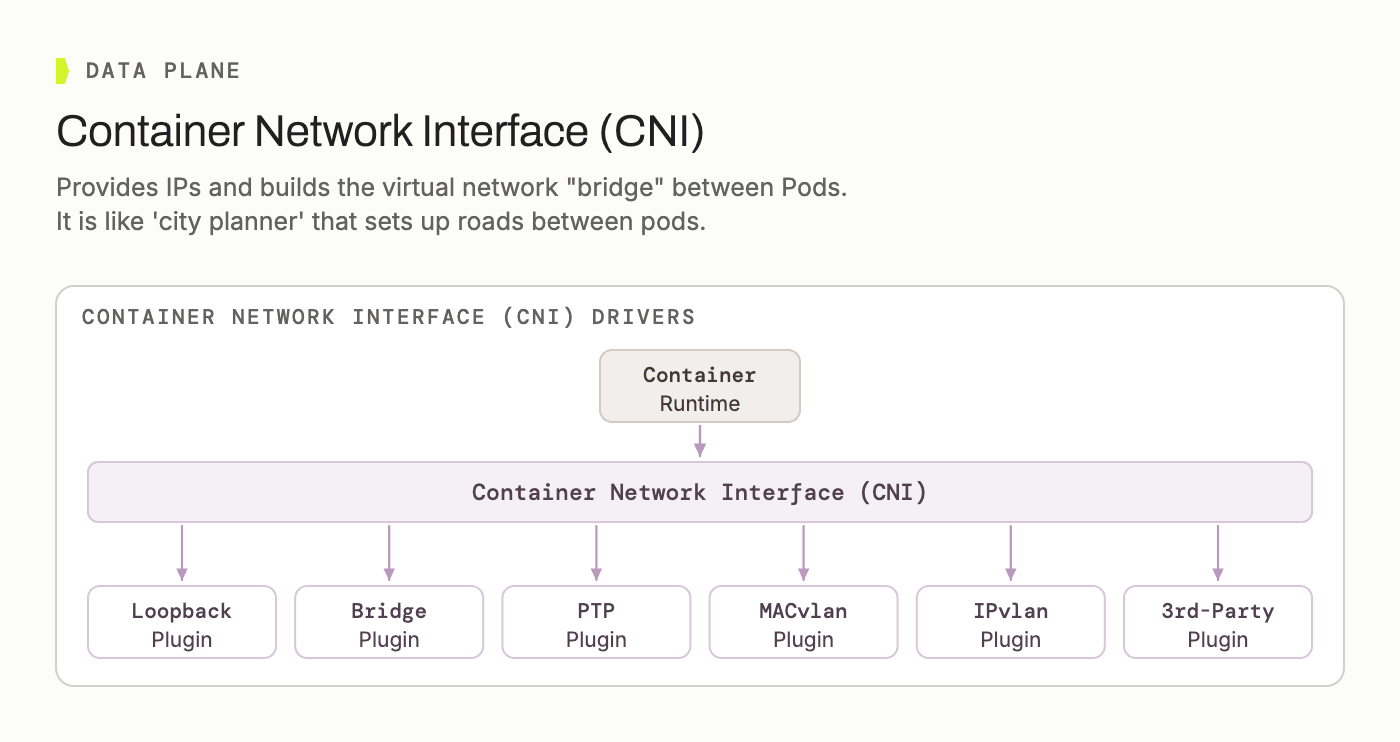
CNI (Container Network Interface) provisions IPs and builds the virtual network between pods: the "city planner" laying roads so pods can reach each other.
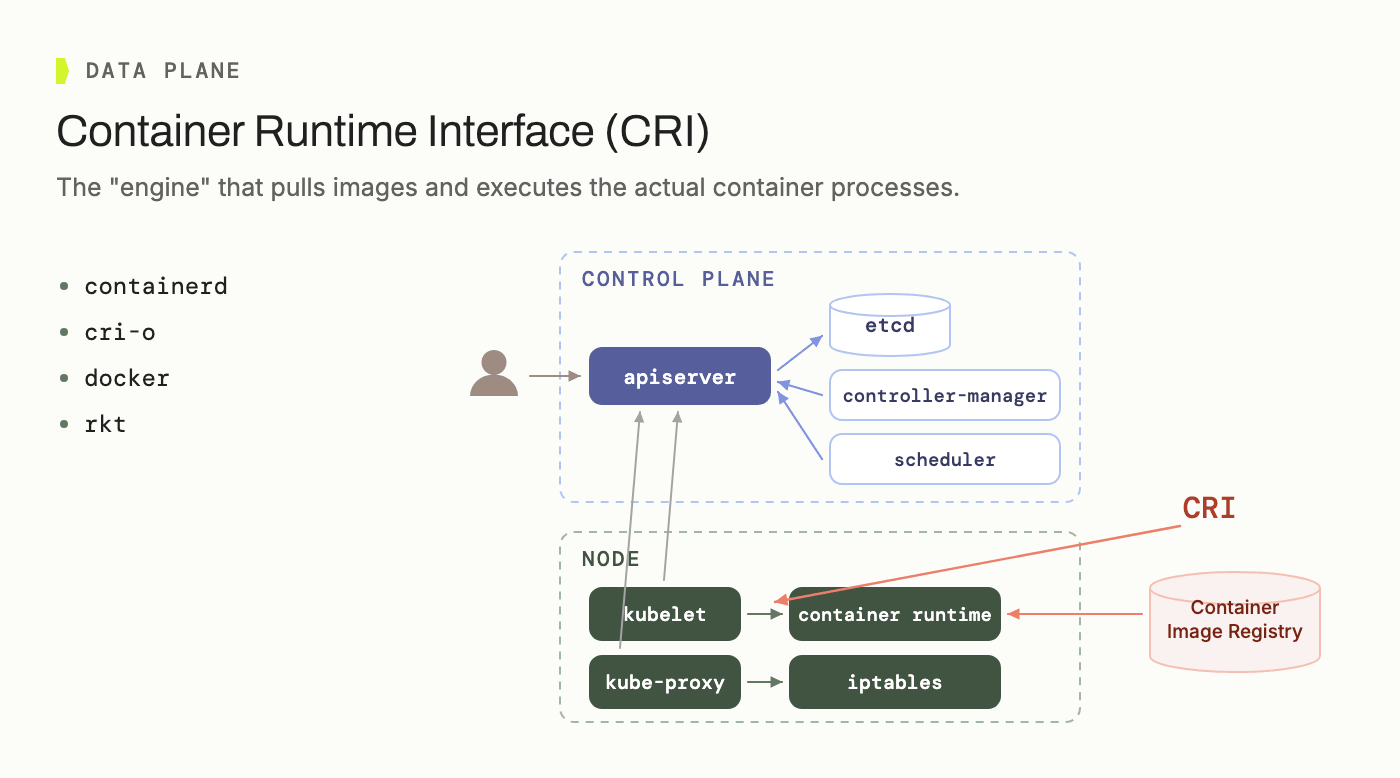
CRI (Container Runtime Interface) is the interface that actually pulls images and executes container processes, with containerd, CRI-O, or Docker sitting behind it.
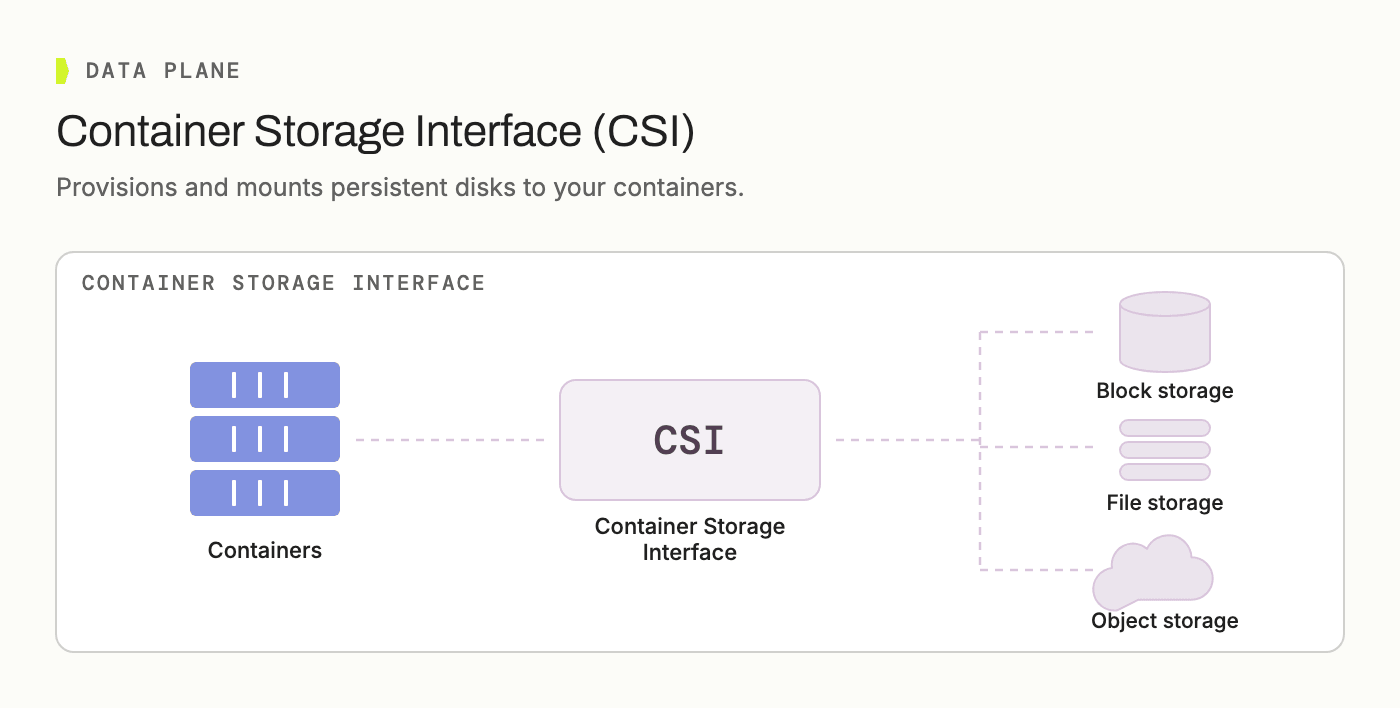
CSI (Container Storage Interface) provisions and mounts persistent disks into containers, backed by block, file, or object storage.
Every one of these is where CPU, memory, network, and disk I/O actually get spent: the layer that costs money and does the work.
Spark Joins the Data Plane
Apache Spark on Kubernetes fits this picture directly: a Spark driver and its executors are just pods, scheduled and run the same way as anything else on the data plane.

What makes Spark-on-Kubernetes convenient is the same control-plane pattern described above, one layer up: the Spark Operator watches for SparkApplication and ScheduledSparkApplication custom resources and reconciles them into actual driver and executor pods. Declare intent through a CRD, let a controller turn it into running pods: that's the API server / kube-controller-manager pattern, reused for a specific workload type.
How IOMETE Maps onto This
IOMETE ships as a single Helm chart that deploys a set of always-on platform microservices plus, on demand, the Spark workloads you actually create. On the cluster, that split shows up as two kinds of namespace: one iomete-system namespace (can be configured/renamed) holding platform services, and one or more data plane namespaces that are configurable holding everything Spark creates, sitting right next to whatever other, unrelated namespaces the cluster happens to run.
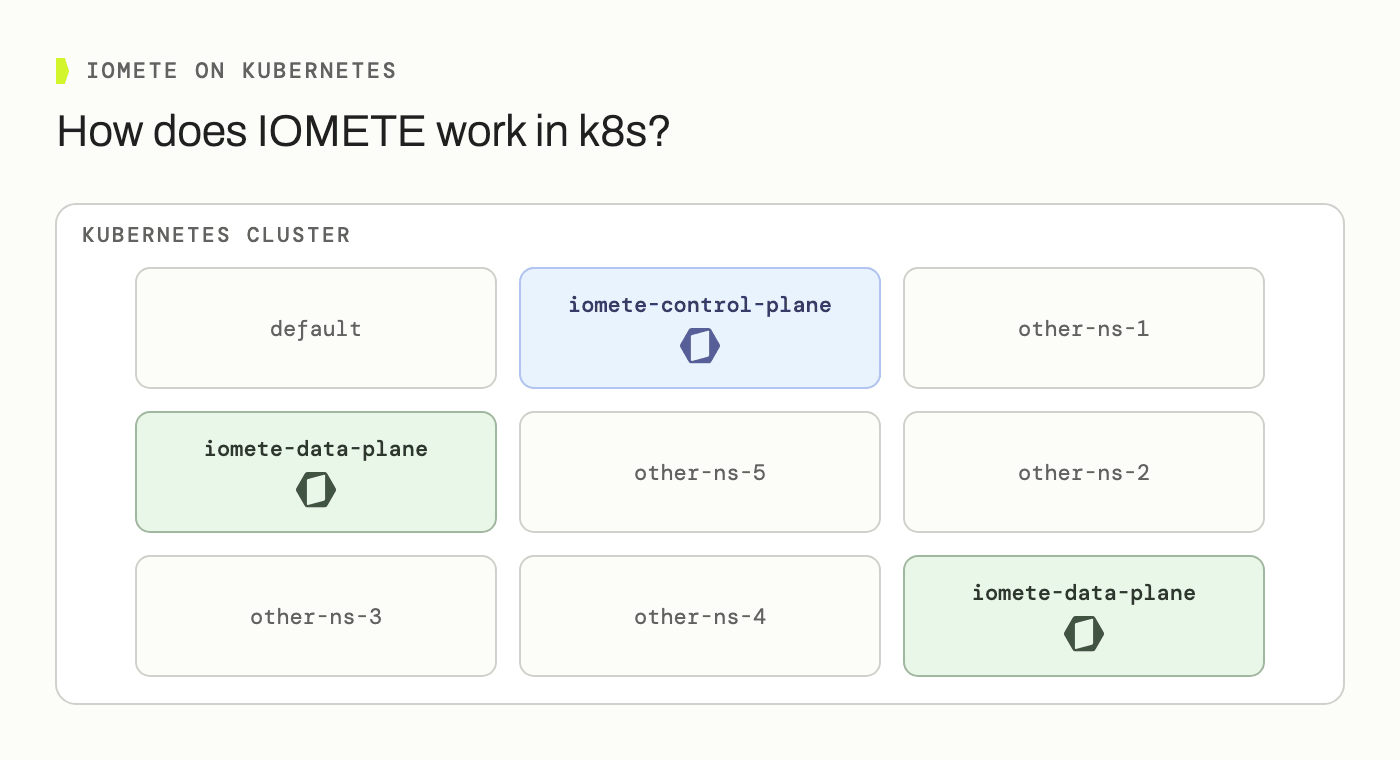
The iomete-control-plane namespace holds the platform microservices, the ones that are always running regardless of which features are turned on:
| Service | What it does |
|---|---|
| iom-gateway | Entry point: an Nginx reverse proxy that routes every request to the right backend by URI |
| iom-app | Serves the frontend console |
| iom-core | Platform-wide settings, authentication, the Spark History proxy |
| iom-cluster | Manages every Spark-based resource: compute clusters, jobs, Jupyter containers, namespaces, secrets, schedules |
| iom-identity | SSO, LDAP, and Apache Ranger policy administration |
| iom-sql | Backs the SQL Editor: worksheets, query history, dashboards |
| iom-catalog / iom-rest-catalog | Table and schema metadata: governance, lineage, classification tags, the Iceberg REST Catalog |
| iom-health-check | Watches every other service and reports status |
| iom-socket | Relays real-time updates, like health-check changes and job status, to the console over WebSocket |
| metastore | The Hive Metastore, backing table and schema metadata |
| typesense | Full-text search behind the Data Catalog |
None of these services run Spark. What they do is declare intent: when you click "start" on a compute cluster, iom-cluster doesn't spin up a driver pod itself; it submits a SparkApplication (or ScheduledSparkApplication) custom resource, and the Spark Operator reconciles that into a real driver pod in an iomete-data-plane namespace, which then launches its own executors. Driver pods, executors, Jupyter containers, event-stream ingestion pods: that's everything living in the data-plane namespace, and it's the layer that scales up and down independently of the handful of control-plane services sitting next to it.
A Naming Wrinkle Worth Flagging
One thing that trips people up reading IOMETE's own Helm values: the chart that installs everything, control-plane services included, is named iomete-data-plane-enterprise, and the bootstrap job that provisions the Postgres schemas, Hive Metastore secret, and Spark ConfigMap before anything else starts is called iomete-data-plane-init.
That's not a contradiction, it's a change in point of view. Inside IOMETE's own accounting, "data plane" means the Spark namespaces as opposed to the iomete-control-plane namespace sitting next to them, which is everything covered above. But zoom out one level, to Kubernetes' own control plane described earlier in this post (the API server, etcd, the scheduler, the controller manager), and the whole IOMETE installation, iom-core and iom-identity included, is just another set of pods running on worker nodes. Kubernetes doesn't know or care that IOMETE has its own internal control plane; from where kube-apiserver sits, all of it, iom-core alongside the Spark drivers it schedules, is data plane. That's the point of view the chart name reflects: we call the whole installation a data plane because, relative to Kubernetes itself, that's exactly what it is.